Notion · AI & Automation
11 Ways to Automate Your Business With Notion Agents
Learn how Notion agents can automate your business operations. Discover setup tips and 11 real-world use cases to save hours of manual work.
Daniel Canosa ·
TL;DR: Notion AI agents can autonomously handle tasks like converting meeting notes to action items, generating business reports, building quick systems, cleaning up databases, and drafting outreach emails. By customizing agent instructions with your core business data locations, you get accurate, context-aware automation that saves hours of manual work every day.
Key Takeaways
- Notion AI agents are autonomous assistants that can perform actions in your workspace for up to 20 minutes without input, going far beyond simple chatbots.
- Customizing your agent's instructions with the exact locations of your core business data (client database, tasks, SOPs, finances) dramatically improves accuracy.
- Converting meeting action items into tracked tasks eliminates dropped balls and keeps client commitments on track.
- AI agents can generate business reports, research leads before sales calls, and draft reactivation emails from your existing Notion data.
- The compound effect of automating multiple small tasks across your operation creates a significant operational advantage over competitors still doing everything manually.
I use Notion AI agents every single day to run my business, and honestly, if you're not using them yet, you're missing out on one of the biggest productivity breakthroughs Notion has ever made.
After building systems for more than 70 companies since 2020, I can tell you that things I used to spend hours on now take me seconds.
Bear in mind, these aren't just fancy chatbots.
These are autonomous AI assistants that can actually perform actions in your workspace for up to 20 minutes without any input from you.
They can create databases, edit content, connect to your email and calendar, search the web, and basically do anything you can do in Notion.
Let me show you exactly how I'm using them to automate my business operations.
Setting Up Notion AI Agents for Maximum Results
Getting started with Notion AI agents is incredibly straightforward.
You can access them from two places in your workspace.
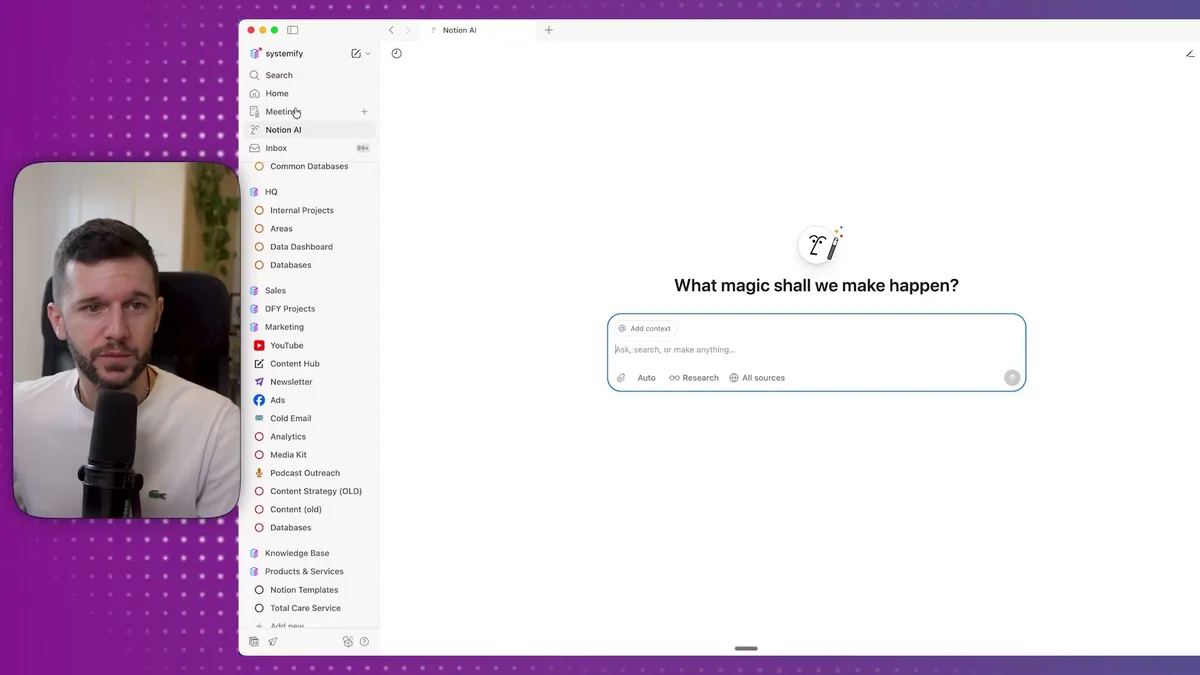
The first option is through the sidebar menu where you'll see "Notion AI" in your left navigation panel.
The second is directly within any page using the AI button.
The only difference is contextual awareness.
When you open it from within a page, the agent automatically understands that page's context.
If you open it from the sidebar, you'll need to mention which page you're working with using the @ symbol.
Now, here's where most people go wrong with their setup.
Notion has already configured the basic agent for you, but you need to customize it to get the best results.
The problem is that your agent has access to everything in your workspace.
I have personal stuff, professional projects, demo databases, client work, all mixed together.
I don't want my agent getting confused about which task database to use or where my actual client data lives.
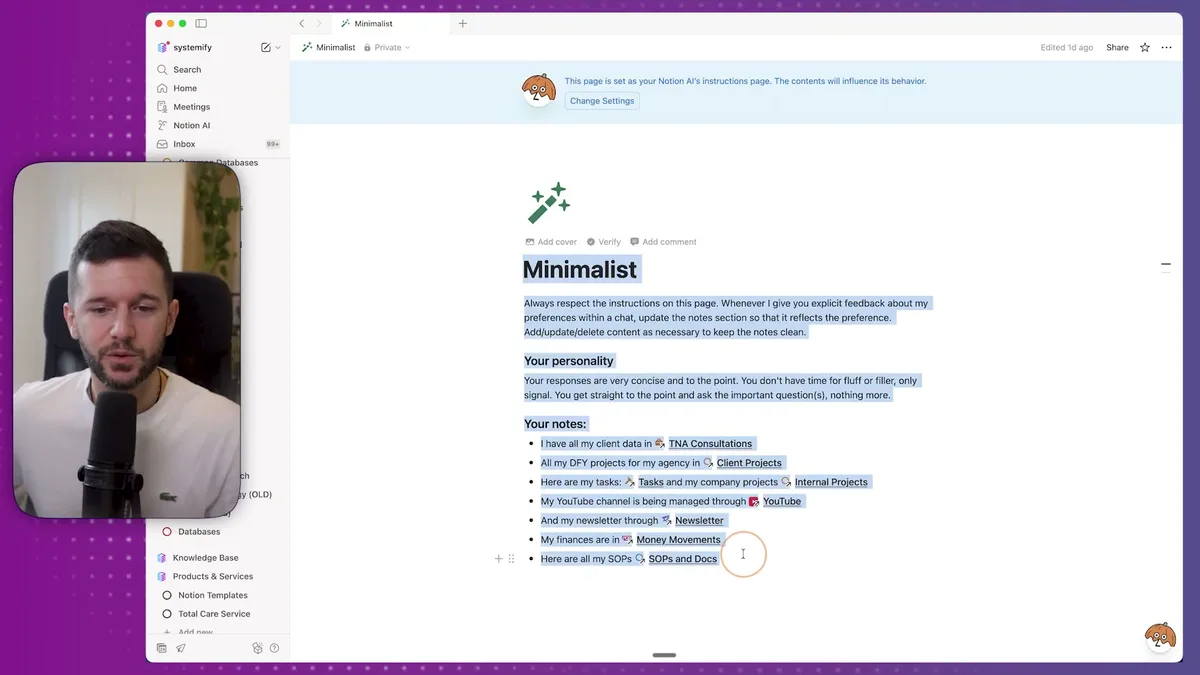
The solution is to personalize your agent's instructions.
Click on "personalize" and you'll see a page where you can configure how your agent behaves.
I've seen other creators write incredibly complex instructions with different modes and elaborate personality settings.
Honestly, I keep mine simple.
The only thing I want is for the agent to stay concise and know where I store my core business data.
I tell it exactly where my client database is located.
Where my consulting projects are tracked.
Where my tasks and internal projects live.
Where my YouTube channel management happens.
Where my newsletter content is stored.
Where my finances are tracked.
And where my SOPs are organized.
This simple setup has made a huge difference in how accurately the agent finds and uses the right information.
Instead of guessing which of my five different task databases to use, it knows exactly which one contains my actual work.
How I Use Notion Agents to Automate Daily Operations
Let me walk you through the specific use cases that have transformed how I run my business.
Converting Meeting Notes to Action Items
The AI meeting notes feature in Notion does an incredible job of summarizing conversations and identifying action items.
But here's the problem: if those action items just sit on a meeting notes page somewhere, I'll forget about them completely.
So I simply ask my agent: "Turn the action items on this page into actual tasks."
The agent immediately understands which task database to use because of my setup instructions.
Within seconds, it creates individual task pages for each action item, assigns them to me, and adds all the relevant context.
I don't need to specify which action items I'm referring to because the agent already has the page context.
This single workflow has eliminated so many dropped balls from client meetings.
Generating Business Reports on Demand
Instead of spending time manually analyzing data in spreadsheets, I can ask my agent to generate reports directly from my Notion databases.
For example: "Generate a report showing which projects were most profitable in 2024 versus how long they took to fulfill."
The agent pulls data from my client database, calculates profit margins, analyzes project duration, and presents everything in a formatted report.
It even includes links back to specific project pages and provides strategic takeaways.
When I need to share this with team members, I just say "turn this into a sharable page" and it formats everything professionally.
Building Quick Systems for One-Off Needs
Sometimes I need a system for something I don't do regularly, like planning a business trip.
Instead of spending time thinking through database structure and relationships, I use my voice to describe what I need.
Here's exactly what I said for a travel management system:
"I want you to create a travel management system that allows me to track all my trips and plan where I'm going to stay for the entire length of the trip. I also want a database for places of interest I might want to visit for each trip. And another one for storing resources like documentation, plane tickets, and hotel reservations."
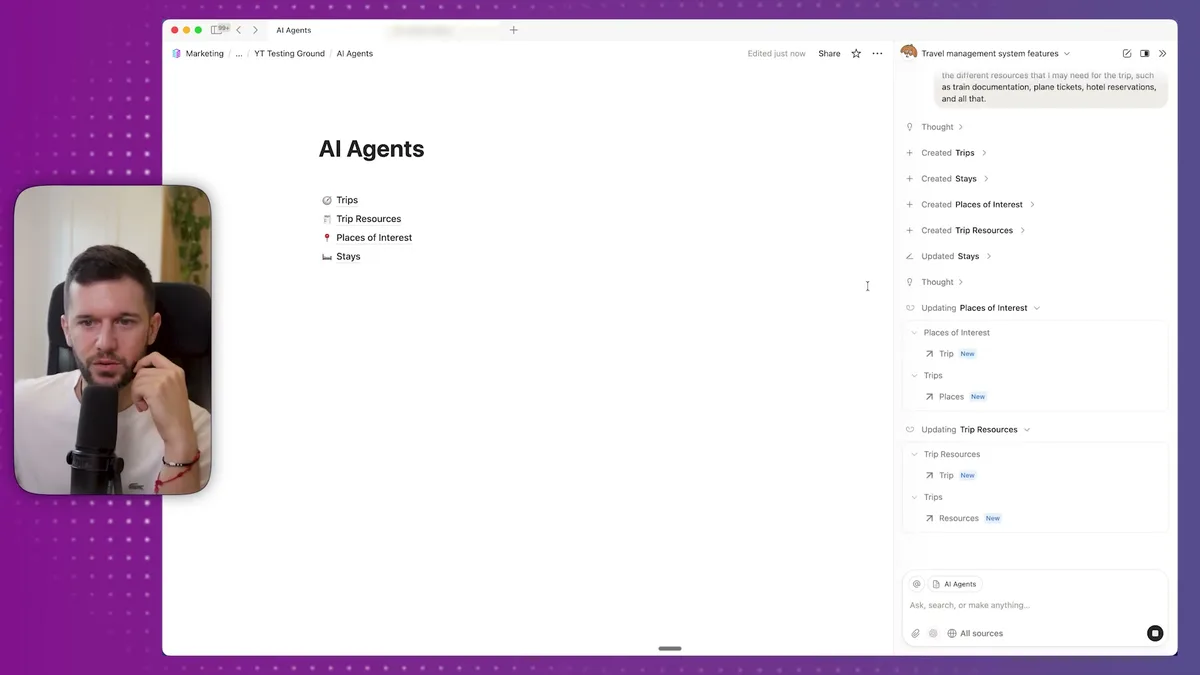
The agent created four interconnected databases: Trips, Trip Resources, Places of Interest, and Stays.
It established all the proper relations between databases, added relevant properties I hadn't even thought of (like status tracking), and when I asked for demo data, it populated everything with real locations and realistic details.
For one-off systems like this, AI agents are incredibly powerful.
Bear in mind, I wouldn't use this approach for building core organizational systems because those require deeper strategic thinking about your specific workflow needs.
Database Maintenance and Cleanup
One of my favorite automation use cases is maintaining databases without manual work.
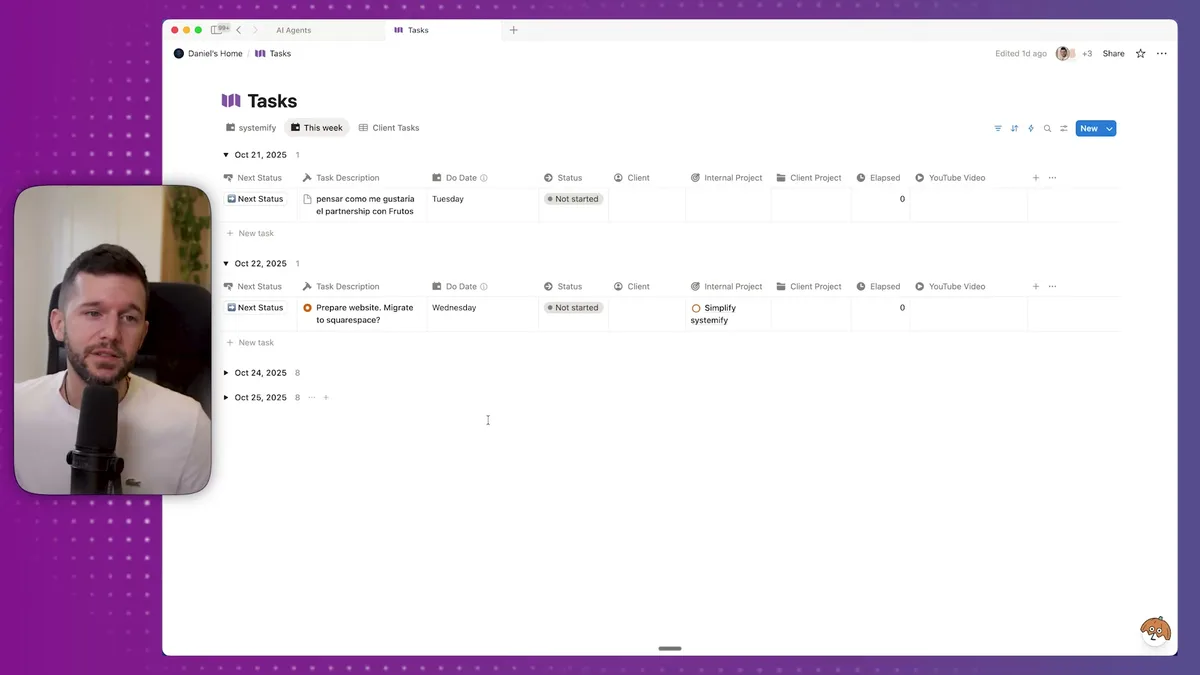
Looking at my task database, I can see several overdue items that need attention.
Instead of manually updating each one, I ask the agent: "Find all tasks that are overdue and push them to today, but first show me the list before you update them."
The agent identifies all overdue tasks, presents them for review, and then updates the due dates when I confirm.
This same approach works for any database maintenance.
For example, in my SOPs database, I have verification dates to ensure procedures stay current.
When SOPs become overdue for review, the agent can identify them, show me the list, and push review dates forward when I confirm they're still accurate.
Content Creation from Client Conversations
All my client meetings are stored in Notion with detailed notes about pain points, challenges, and solutions we discuss.
This is goldmine content for my YouTube channel, but manually reviewing weeks of conversation notes would take hours.
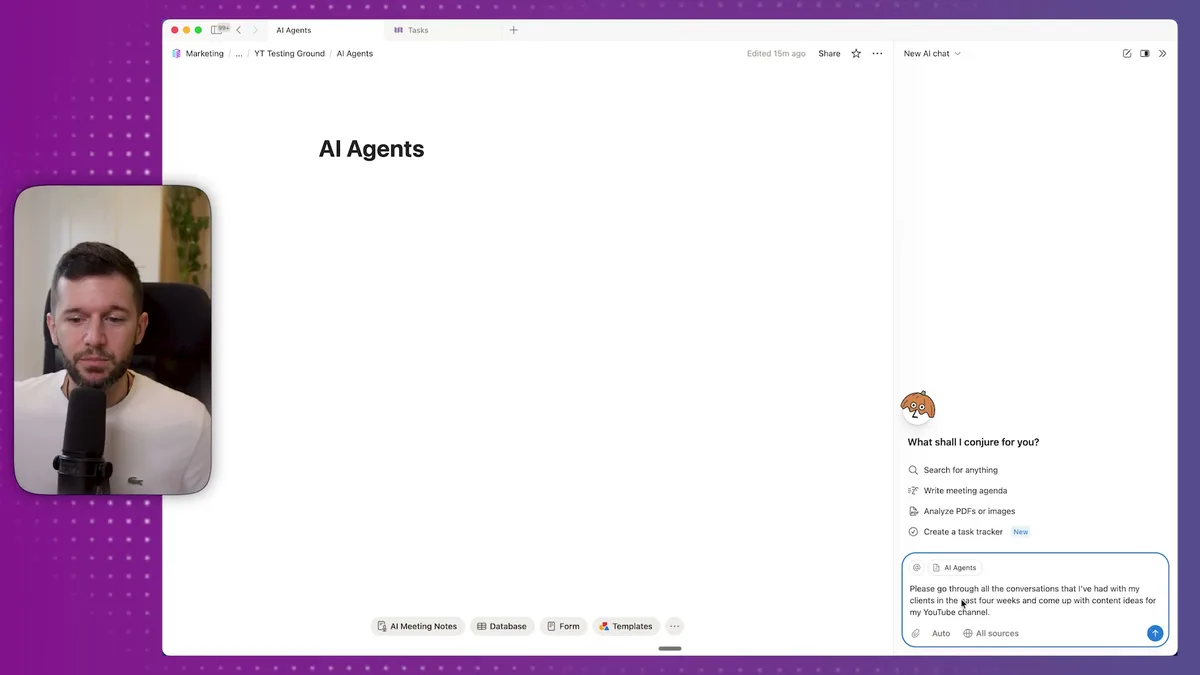
Instead, I ask the agent: "Go through all conversations I've had with clients in the past four weeks and come up with content ideas for my YouTube channel."
The agent analyzes conversation notes from my client database and generates video topics based on real problems my clients are facing.
Recent ideas it generated include:
- "The number one mistake that makes clients hate your deliverables"
- "Fixed price versus hourly pricing: lessons from a 9-person business"
- "Phone coordination automation that saves 20 hours per week"
- "When to fire a client: lessons from knowing when to cut losses"
Some ideas are better than others, of course, but this saves me massive time compared to manually reviewing conversation notes.
For content generation, I specifically use Claude instead of the default model because it's much stronger at creative tasks.
Lead Research and Sales Preparation
When someone books a consultation call with me, I use the agent to research their business before our conversation.
My prompt is simple: "Research the lead on this page by going to their website and finding all information you can about their business so I can use this in the sales call."
The agent visits their website, analyzes their business model, identifies operational challenges they likely face, and summarizes everything in a structured format.
This gives me incredible context for sales conversations.
I know their service offerings, team size, current systems, and potential pain points before we even talk.
Email Outreach to Lost Leads
Another powerful use case is reactivating leads who didn't convert initially.
I ask the agent: "Find all leads that haven't been converted into clients yet and figure out which email I can send them to reactivate them."
The agent analyzes my CRM data, identifies unconverted leads, and drafts personalized reactivation emails based on our previous conversations.
I never let the agent send emails automatically, but it gives me a solid starting point for manual review and customization.
SOP Formatting and Documentation
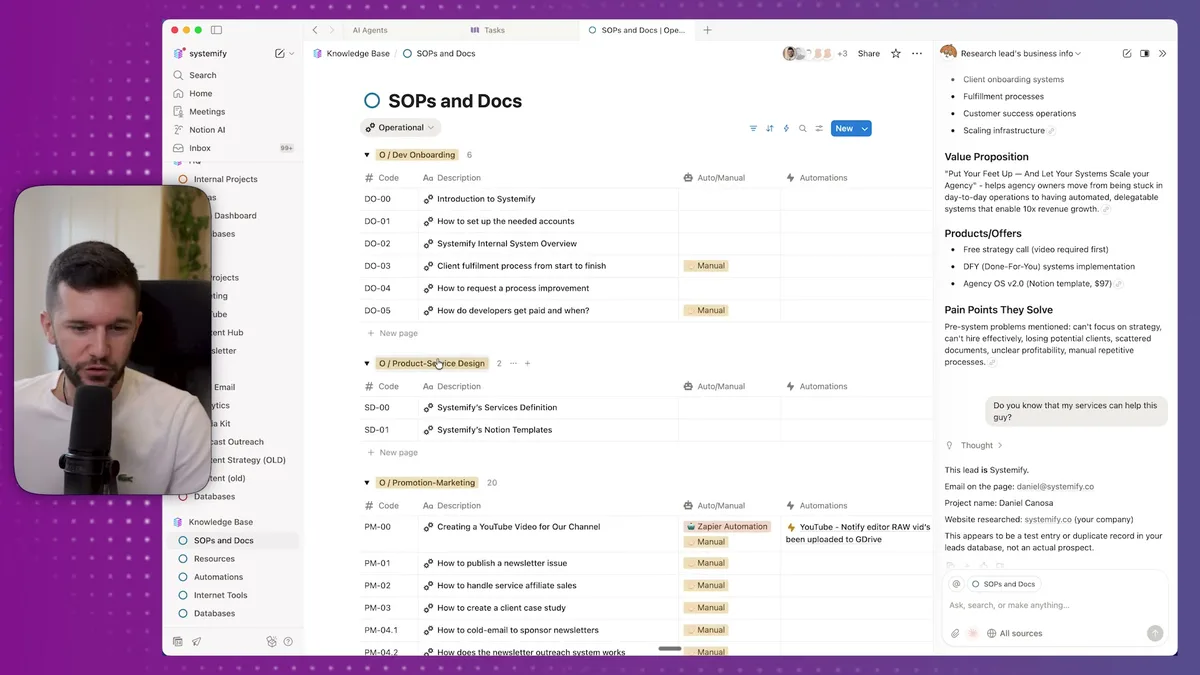
I store all my standard operating procedures in Notion, covering everything from client onboarding to content creation processes.
When I need to format these procedures for team training or client delivery, the agent can transform plain text into professionally formatted pages with proper headings, checklists, and visual hierarchy.
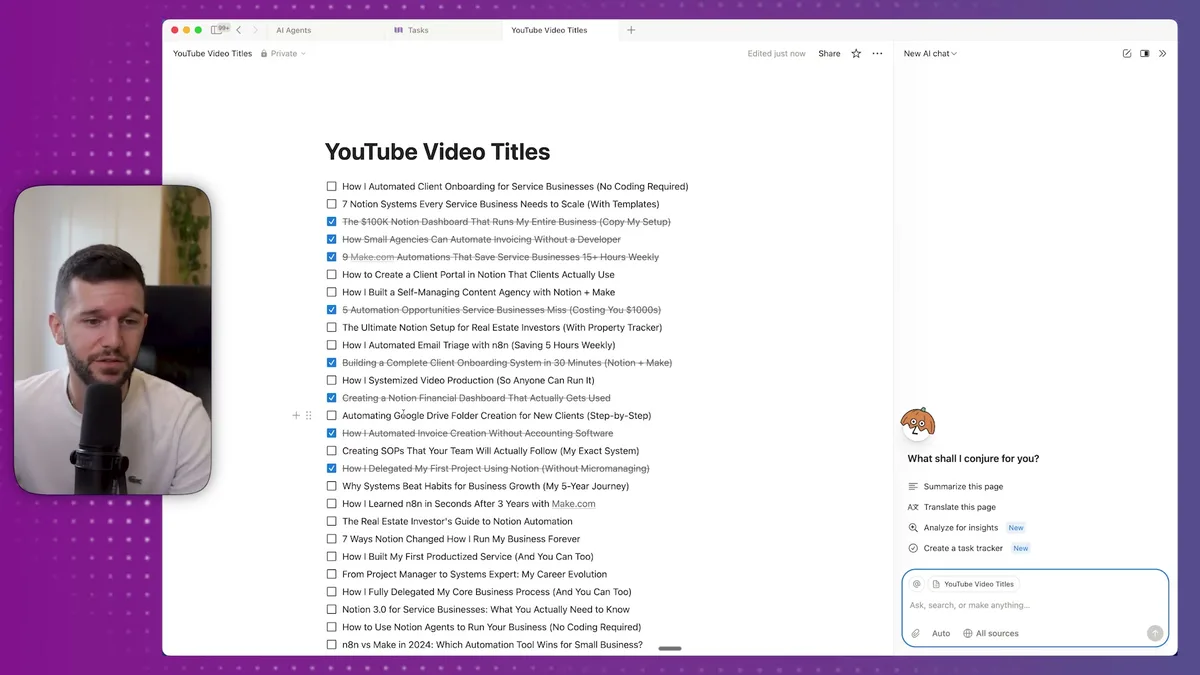
For example, I can say: "Take this SOP and format it with proper headings, bullet points, and callout boxes to make it more readable."
The agent applies consistent formatting, adds visual elements like callout boxes for important notes, and creates a professional-looking document that's easy for team members to follow.
The Strategic Impact and Future of AI Automation
The real power of Notion AI agents isn't in individual tasks, it's in the compound effect of automation across your entire operation.
When I look at how my business has evolved since implementing these agents, the transformation is significant.
Tasks that used to require dedicated time blocks now happen in the background while I focus on strategy and client work.
Database maintenance that I used to postpone (and sometimes forget) now gets handled consistently.
Content creation has become more systematic because I can quickly analyze patterns across client conversations.
But here's what I find most valuable: the agents help me maintain consistency in my business operations.
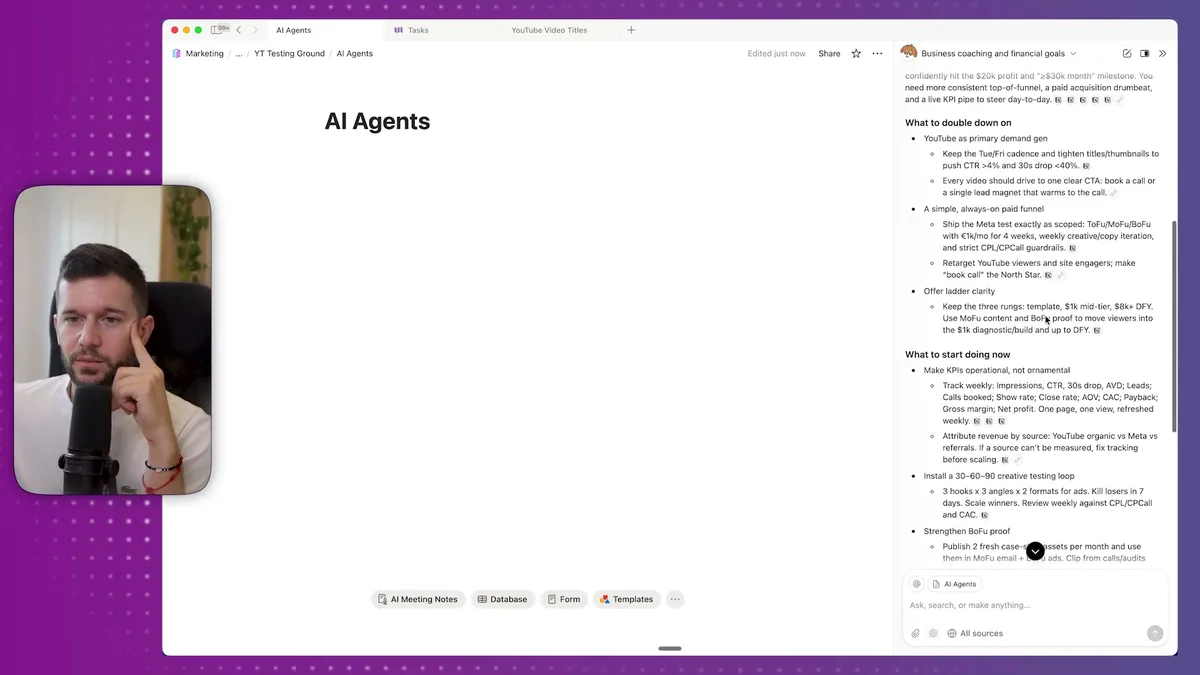
Recently, I asked my agent to analyze my business performance and create a coaching session for myself.
It generated KPI recommendations, identified what I should double down on, suggested immediate action items, and created a 30-day execution plan.
This kind of strategic analysis used to require hiring external consultants or spending hours in spreadsheets.
Now I get objective, data-driven insights from my own business data in minutes.
Looking ahead, I expect Notion AI agents to become even more powerful.
The 20-minute autonomous operation limit will likely extend.
Integration with more external tools will expand beyond email, calendar, and Google Drive.
The ability to trigger agents based on database changes or scheduled events will create true automation workflows.
But even with current capabilities, most businesses are barely scratching the surface.
The key is starting with simple, repetitive tasks and gradually expanding to more complex workflows as you build confidence with the system.
Bear in mind, this isn't about replacing human judgment.
It's about eliminating the manual, time-consuming work that keeps you from focusing on strategy, client relationships, and business growth.
The businesses that figure this out now will have a significant operational advantage over competitors still doing everything manually.
In my opinion, AI agents in Notion represent the biggest productivity leap since automation tools first became accessible to small businesses.
The only question is whether you'll implement them before your competitors do.
Ready to see where your business stands with AI and automation? Take our AI Readiness Scorecard to find out.
Frequently Asked Questions
What are Notion AI agents and how do they differ from Notion AI?
Notion AI agents are autonomous assistants that can perform multi-step actions in your workspace for up to 20 minutes without your input. Unlike basic Notion AI (which helps with writing and summarizing), agents can create databases, edit content, connect to email and calendar, search the web, and execute complex workflows across your entire workspace.
Do I need a paid Notion plan to use AI agents?
Yes, Notion AI agents require a Notion plan with AI features enabled. The AI add-on is available on Plus, Business, and Enterprise plans. You can choose between different AI models (including Claude for creative tasks) depending on your needs.
How do I prevent the AI agent from accessing the wrong databases?
Customize your agent's instructions by clicking "personalize" in the AI settings. Tell the agent exactly where your core business data lives, including your client database, task database, SOPs, and other key resources. This prevents the agent from confusing demo data or personal pages with your actual business information.
Get more like this in your inbox
AI implementation insights for service business founders. No fluff.