AI & Automation
Automate Notion Tasks with Claude Code: Complete Setup Guide
Learn how to connect Claude Code to Notion and automate your task management. Step-by-step guide to assign tasks to AI and streamline your workflow.
Daniel Canosa ·
TL;DR: You can assign tasks to Claude Code directly from Notion using a member group, a button, and a cron job. Claude Code picks up tasks autonomously, completes them, writes the output back to the Notion page, and notifies you via Telegram for review. Setup requires no coding on your part.
Key Takeaways
- Creating a "Claude Code" member group in Notion lets you assign tasks to AI without paying for an extra Notion seat.
- A local cron job checks the Notion database every 15 minutes and spins up a headless Claude Code session for any assigned tasks.
- Claude Code writes its output directly into the Notion page and reassigns the task to you with a "To Review" status, keeping humans in the loop.
- Notion works best as the interface layer (visual structure, collaboration, databases) while Claude Code handles the operational work in the background.
- This setup works well for knowledge tasks like pricing research, content drafts, and analysis, but tasks involving irreversible external actions should still be handled manually.
I've been spending a lot of time inside Claude Code lately, building out workflows, connecting tools, automating things I used to do manually.
And the whole time I kept coming back to the same question: where does Notion fit in all of this?
I still like Notion. I mean, it's a genuinely good interface. My team uses it, my clients use it, and honestly the visual layer it gives you is hard to replicate anywhere else. But Claude Code is where the actual work gets done now.
So I started thinking about how to connect the two.
What if I could assign tasks directly from Notion to Claude Code, the same way I'd assign them to a contractor? No switching tools. No copy-pasting prompts. Just a button, and it's done.
That's exactly what I built. And this is how it works.
What It Actually Looks Like in Practice
Here's the workflow before I get into how to set it up.
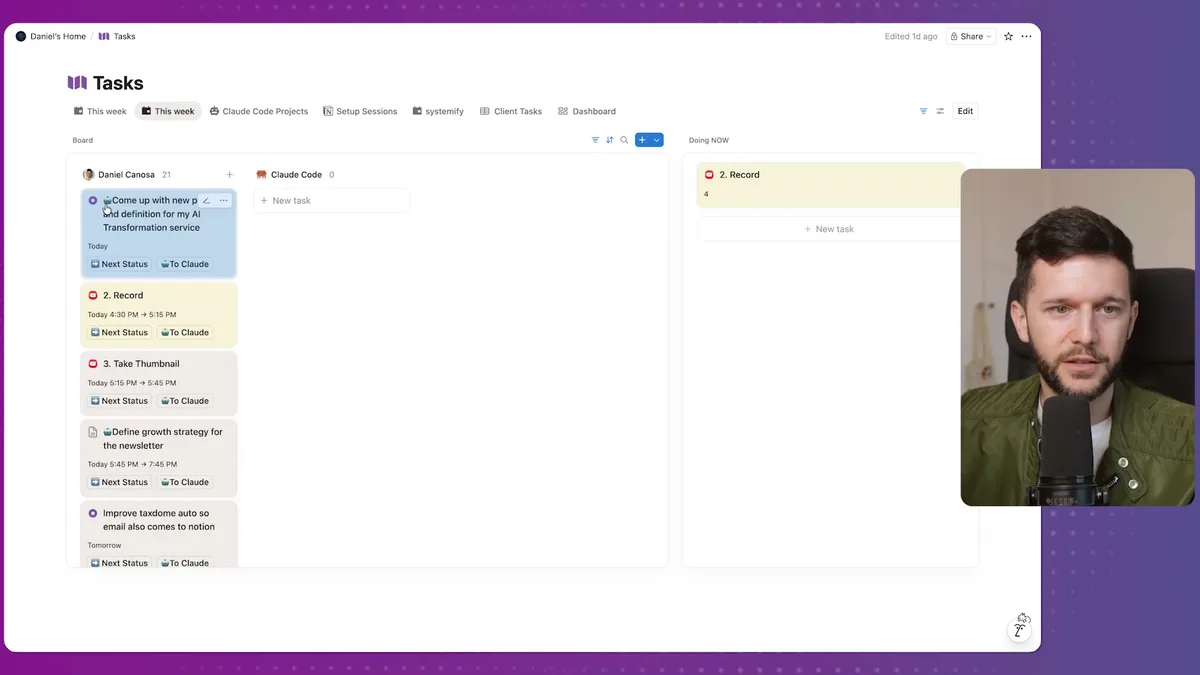
I open my Notion task database. I see all my tasks, with status labels, deadlines, the usual setup.
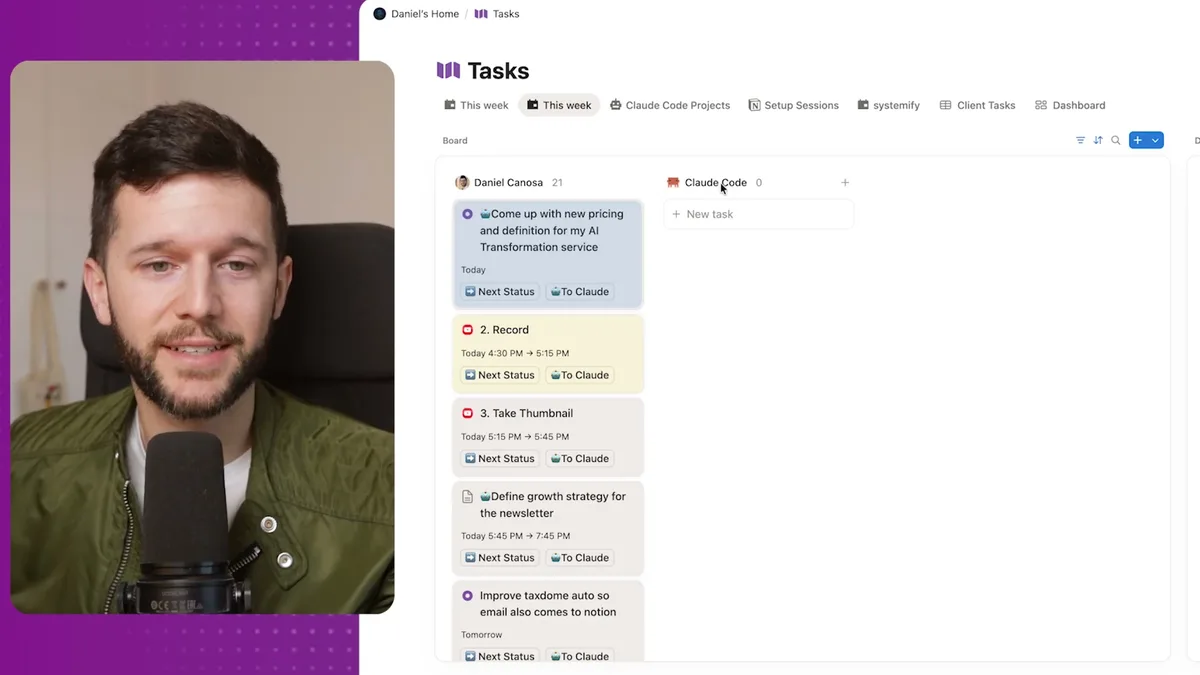
That's my actual task board. You can see tasks in different states, some assigned to me, some queued up for Claude Code.
When there's a task I want Claude Code to handle, I just hit a button. Let's say the task is "Come up with new pricing and definition for my AI Transformation service." I press To Claude, and that's it on my end.
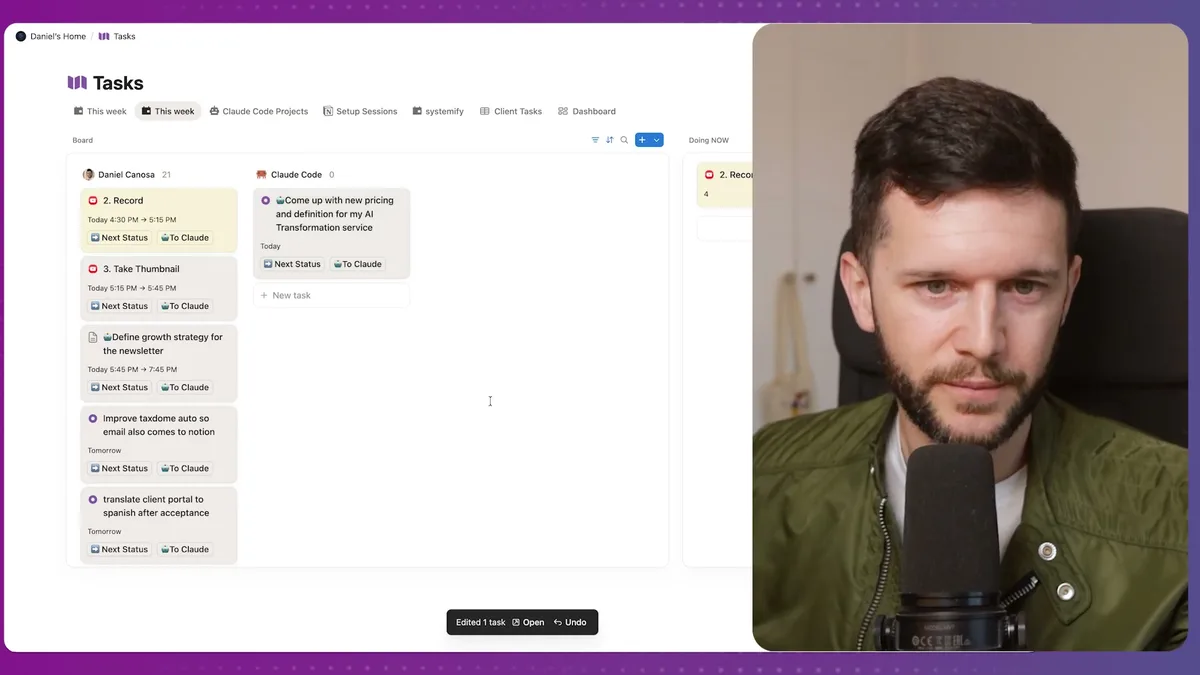
Within moments, the task status flips to yellow.
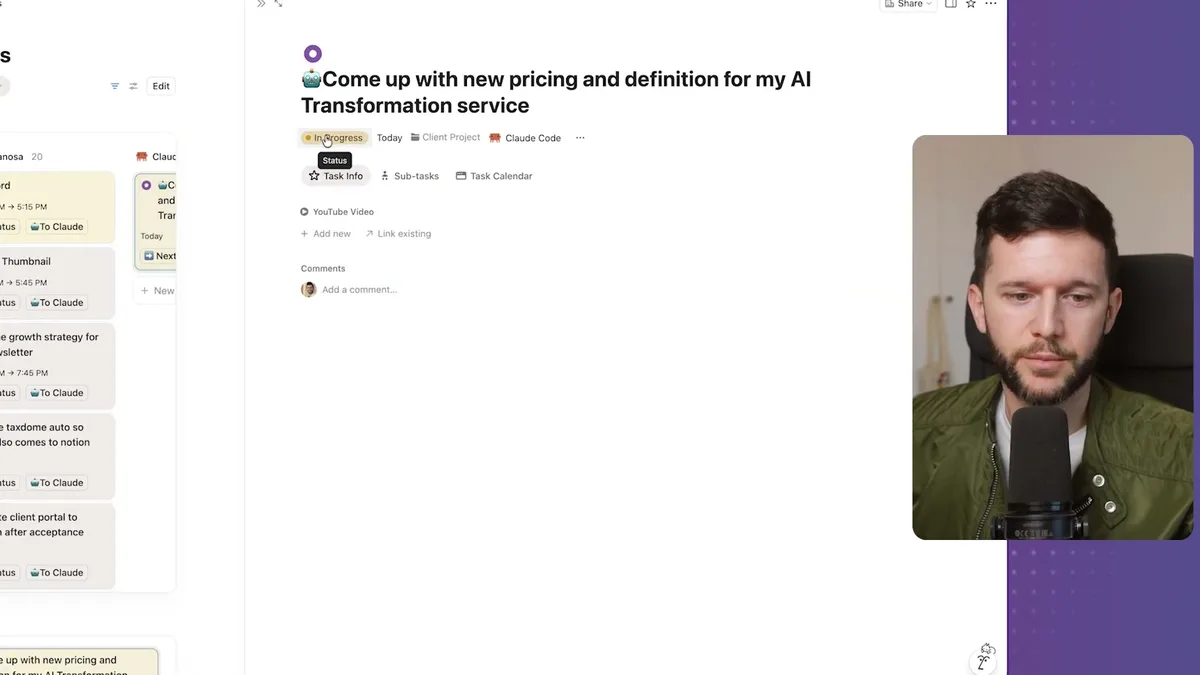
That yellow badge means Claude Code picked it up and is actively working on it. No prompt from me. No open terminal window. It just... started.
And then a few minutes later, the page content is populated with everything Claude Code produced.
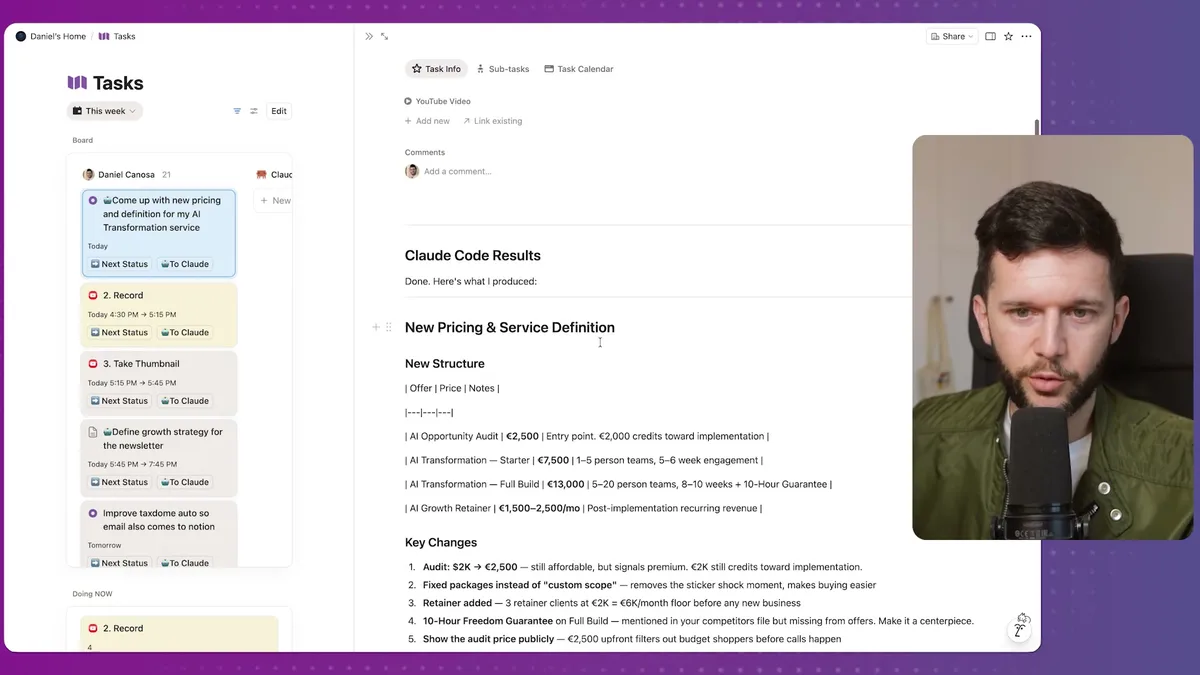
In this case it came back with a full pricing and service structure: an opportunity audit offer, a transformation starter, a full build package, a growth retainer, price ranges, revenue math. All of it structured and written directly into the Notion page.
Then it reassigned the task to me with a "To Review" status, and I got a Telegram message telling me it was done.
That whole loop, from me pressing a button to having a reviewed output sitting in Notion, happened without me touching anything.
That's the system. Not a concept. Not a demo. That's what I'm running right now.
How the Setup Actually Works Under the Hood
Let me walk through the actual mechanics because this is simpler than it sounds.
The first thing you need is a Claude Code member group in Notion.
Go into your Notion workspace settings, find the Groups section under Members, and create a new group called "Claude Code."
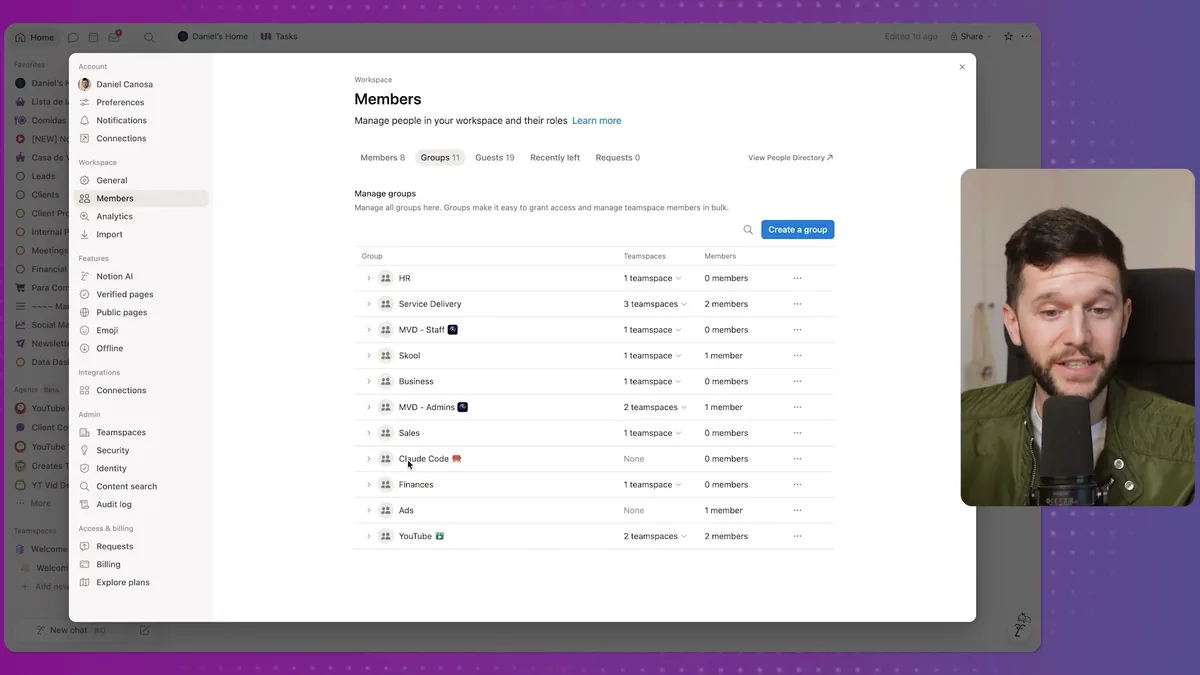
The reason I set it up as a group rather than a real account is because Notion would otherwise require a paid seat for every member you add. This way I can assign tasks to "Claude Code" as a member group without paying for an extra subscription. Simple workaround.
Then you create a button in your Tasks database.
The button does one thing: it replaces the assignee with the Claude Code group. That's it. When I press it, the task is now "assigned to Claude Code" in Notion's data model.
Now Claude Code needs to know to check for those tasks.
This is where the cron job comes in. A cron job is basically a local trigger on your computer that fires at a set interval, in this case every 15 minutes, Monday through Friday, between 11am and 8pm.
When it fires, it runs a Python script that Claude Code generated. That script checks the Notion tasks database, looks for anything assigned to the Claude Code member group, and if it finds something, it spins up a headless Claude Code session.
Headless means there's no human in the loop. Claude Code just works autonomously, bypasses the usual permission prompts, does the task, writes the output back to Notion, sends me a Telegram notification, and reassigns the task to me for review.
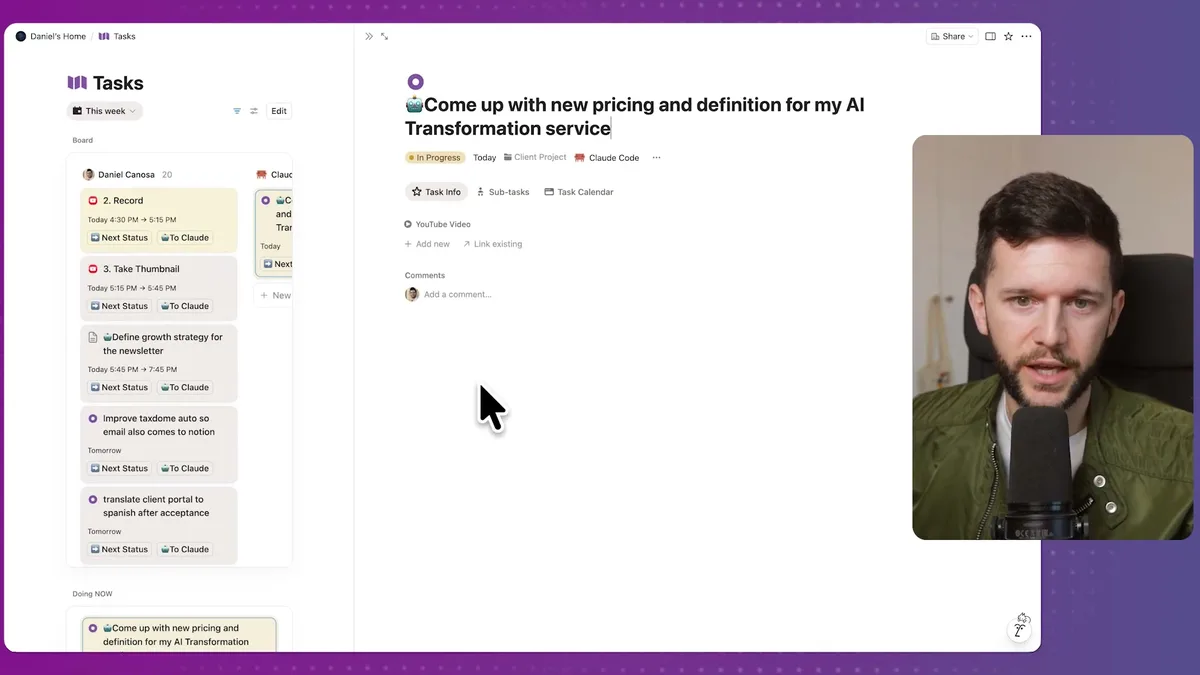
One thing I want to flag here: Claude Code also tags tasks it thinks it can handle autonomously with a small robot icon at the beginning of the title. That way I can scan the list, see what it's flagged, and decide if I actually want it to run on those tasks. I still approve it by pressing the button. It doesn't just start running on things it decides it can do.
To connect Claude Code to Notion in the first place, you go to notion.so/profile/integrations/internal, create a new internal integration, grab the secret token, and paste it into Claude Code.
It adds that token to an .env file and from that point on it can read and write to your workspace.
One issue I ran into during setup: Claude Code couldn't figure out the ID for the member group property. The way I solved it was simple. I manually assigned one task to the Claude Code group, then sent that task's URL to the agent so it could inspect who was assigned and grab the group ID from there. If you run into the same issue, that's the fix.
The Python script itself is something Claude Code generated entirely.
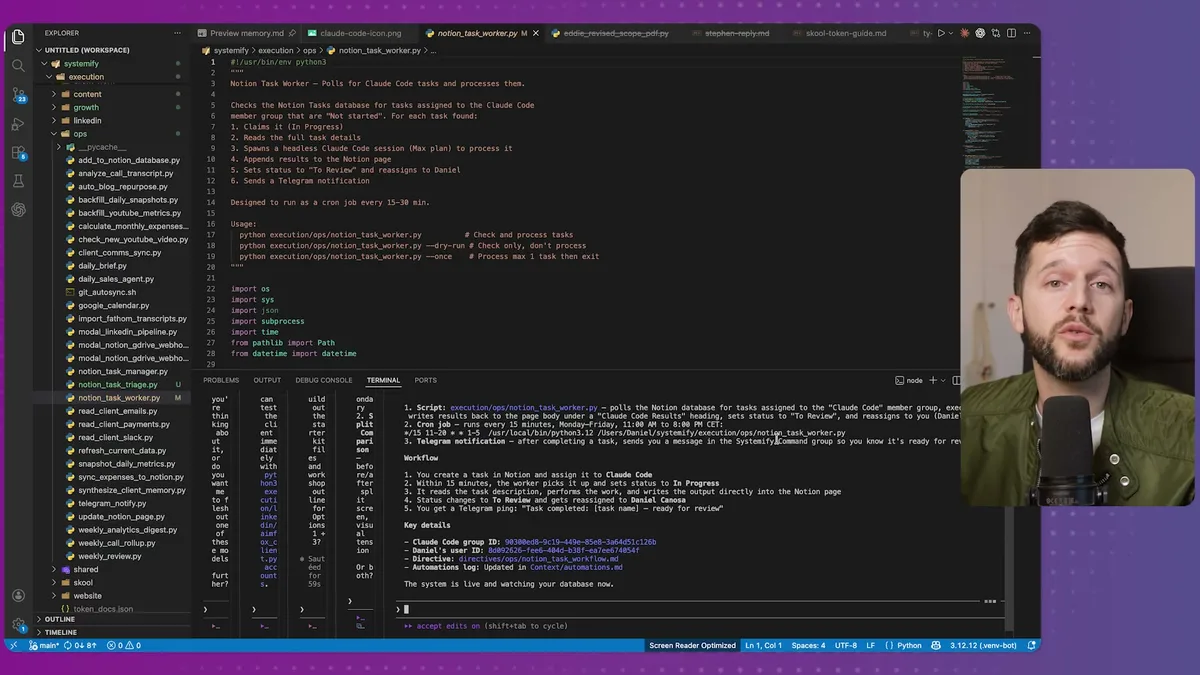
Honestly, this was the first time I opened that file. I did it just to show it in this post. I've never needed to touch it. You don't need to understand the code to have this running. You just need to tell Claude Code what you want and it handles the rest.
One important caveat, bear in mind, this cron job is local. It runs on your machine. If your computer is off, or even locked, it won't fire. There is a way to move all of this to a VPS, which is basically a computer running in the cloud 24/7. I haven't done that yet because I'm still building out my setup and prefer to keep things local for now. But that's the direction I'll likely go eventually.
Where Notion Still Fits (And Where It Doesn't)
Since I started going deep into Claude Code, this question has been on my mind a lot. What is Notion actually for now?
My honest take: Notion is the interface layer. It's where humans interact with the business system. The visual structure, the databases, the collaboration between team members, Notion is genuinely good at all of that and Claude Code hasn't come close to replacing it for those use cases.
Where Notion falls short is in doing the operational work. Notion's native automations are limited. Building custom AI agents inside Notion is possible but expensive, in my opinion more expensive than running Claude Code to do the same work.
So the approach I'm running now is a hybrid.
- Notion stays as the primary interface for me and my team
- Claude Code handles the operational work in the background
- Everything surfaces back in Notion when it's done
And it's not just task execution. Claude Code can pull data from my Notion workspace, for example client data, financials, project statuses, and generate comprehensive reports. It can synthesize information across multiple databases and give me something useful in a format I actually want.
I mean, this is basically what we build for clients at Systemify. Not just the Notion dashboards and interfaces, but the systems where AI handles the operational layer and Notion becomes where your team reviews and collaborates on the output.
The thing that surprised me was how little setup this actually required.
- Create a member group in Notion
- Create a button that assigns to that group
- Connect Claude Code to Notion with an integration token
- Prompt Claude Code to monitor the database and execute tasks
- It writes the Python script and sets up the cron job itself
The only thing I actually built manually in Notion was the member group and the button. Everything else came from a prompt.
For any service business that already lives in Notion, this is a straightforward way to start getting AI to do real work inside your existing setup. Not a new tool. Not a new platform. Just Claude Code running in the background, checking your task list, and doing the work.
Bear in mind, this is not all perfect. There are tasks Claude Code handles well and tasks it doesn't. You need to be thoughtful about what you assign to it, especially in headless mode where there's no human catching mistakes mid-process. For now I'm using it for things like pricing research, content drafts, and analysis tasks. Anything that involves real external actions or irreversible changes I still handle myself.
But for the kind of knowledge work that used to eat up hours of my week, this setup is genuinely saving me time right now.
Frequently Asked Questions
Does my computer need to be on for this to work?
Yes. The cron job runs locally, so if your machine is off or asleep, it will not fire. You can move the setup to a VPS (a cloud server running 24/7) to make it always available. The scripts and cron configuration transfer directly to a VPS with minimal changes.
What happens if Claude Code makes a mistake on a task?
Every task goes to "To Review" status and gets reassigned to you before anything is finalized. You always have the chance to review, edit, or reject the output. For this reason, avoid assigning tasks that involve irreversible actions (like sending emails or deleting data) until you are confident in the output quality.
Can I use this with a task tool other than Notion?
The same concept works with any tool that has an API. You would need a script that checks the other tool's database for assigned tasks and writes results back. Claude Code can generate that script for you. Notion is convenient here because its API, databases, and member groups make the integration straightforward.
Ready to see where your business stands with AI and automation? Take our AI Readiness Scorecard to find out.
Get more like this in your inbox
AI implementation insights for service business founders. No fluff.