Notion · AI & Automation
Build Notion Automations with Claude Code AI
Learn how to use Claude Code to automate Notion workflows. Step-by-step guide to creating client onboarding automations without coding.
Daniel Canosa ·
TL;DR: Claude Code lets you build Notion automations using plain English instead of configuring steps manually. You describe what you want, and it creates the directives, Python scripts, and cloud deployment automatically. It is ideal for quick prototypes and low-stakes automations, but production-critical workflows still benefit from traditional no-code tools with better error handling.
Key Takeaways
- Claude Code uses a two-layer structure: directives (plain English descriptions of what the automation should do) and execution scripts (Python code that actually runs it). You write the directives; Claude Code generates the scripts.
- A complete client onboarding automation (Notion trigger to Google Drive folder creation) was built and deployed using only natural language instructions, with no manual coding required.
- Modal provides free cloud hosting for these automations, and Claude Code handles the deployment and webhook setup automatically.
- The biggest limitation is debugging. Unlike Make or Zapier, Claude Code automations lack built-in error handling and visual step-by-step inspection, making silent failures harder to catch.
- The best use cases are quick prototypes, low-stakes automations, and learning how complex workflows function. For production-critical business processes, traditional no-code tools are still more reliable.
Let me start with a story.
I've been watching the automation world evolve for years now.
In 2019, Notion gave us these Lego-like building blocks to create whatever we wanted.
But it was locked away in its own little world.
Then the API arrived in May 2021, and suddenly we could connect Notion to everything using Zapier, Make, or any other no-code tool.
The problem? We still had to build every automation step by step, piece by piece.
Until now.
Claude Code just changed everything.
I can literally tell an AI what I want my automation to do, and it builds the entire thing for me.
It's honestly a bit scary how good this is.
Let me show you exactly how I built a complete client onboarding automation using nothing but plain English.
Setting Up Claude Code for Notion Automations
First things first, bear in mind that Claude Code is a paid feature.
You need at least the Pro plan to access it.
Now, you could run Claude Code through your terminal, but honestly, that's not the best experience.
Claude Code manages local files, creates scripts, does all sorts of behind-the-scenes work.
From the terminal, it's hard to see what's happening.
So I use Anti-Gravity instead.
It's a tool created by Google that gives you a proper interface for all your folder structures and Claude Code projects.
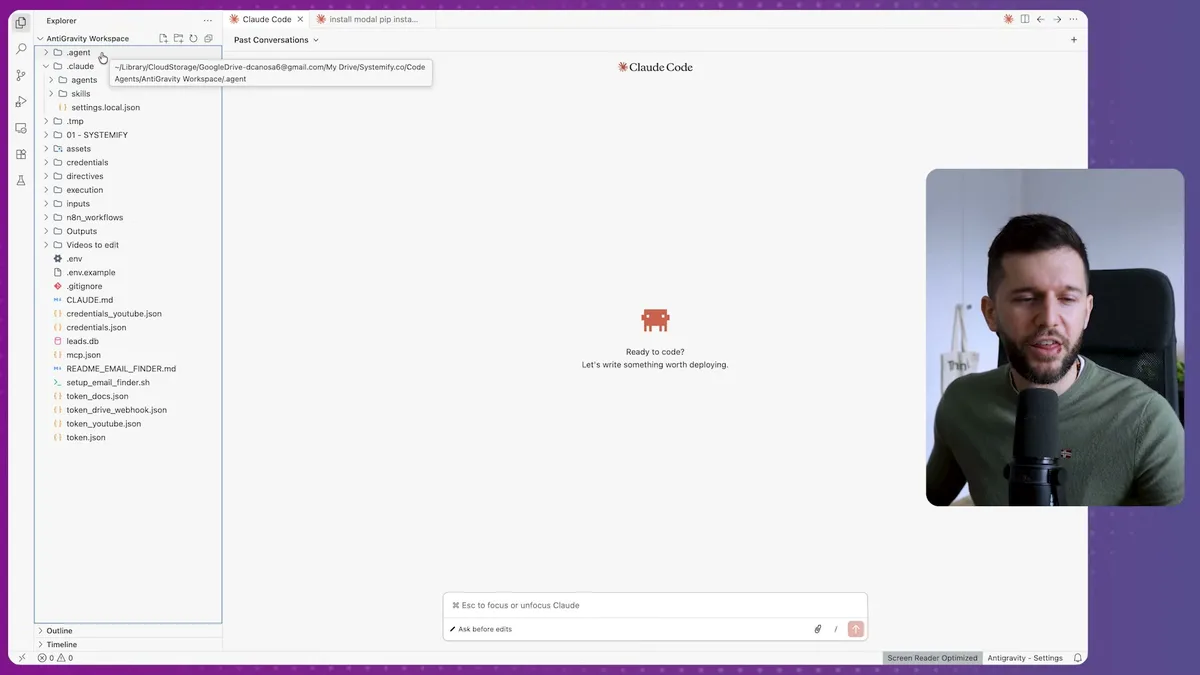
The first time you open Anti-Gravity, you'll need to install the Claude Code extension.
Just go to Extensions, find "Claude Code for VS Code," and install it.
Once that's done, you'll see this little Claude Code icon in your interface.
Here's where it gets interesting.
Claude Code works with a special file structure.
You start with a claude.md file that basically tells Claude Code how to organize everything.
I'm including this file in the resources for this post, so you can download it and get started immediately.
The only thing you need to do is create a root folder for your project, then add the claude.md file.
Tell Claude Code to "initialize claude.md" and it follows all the instructions in that file.
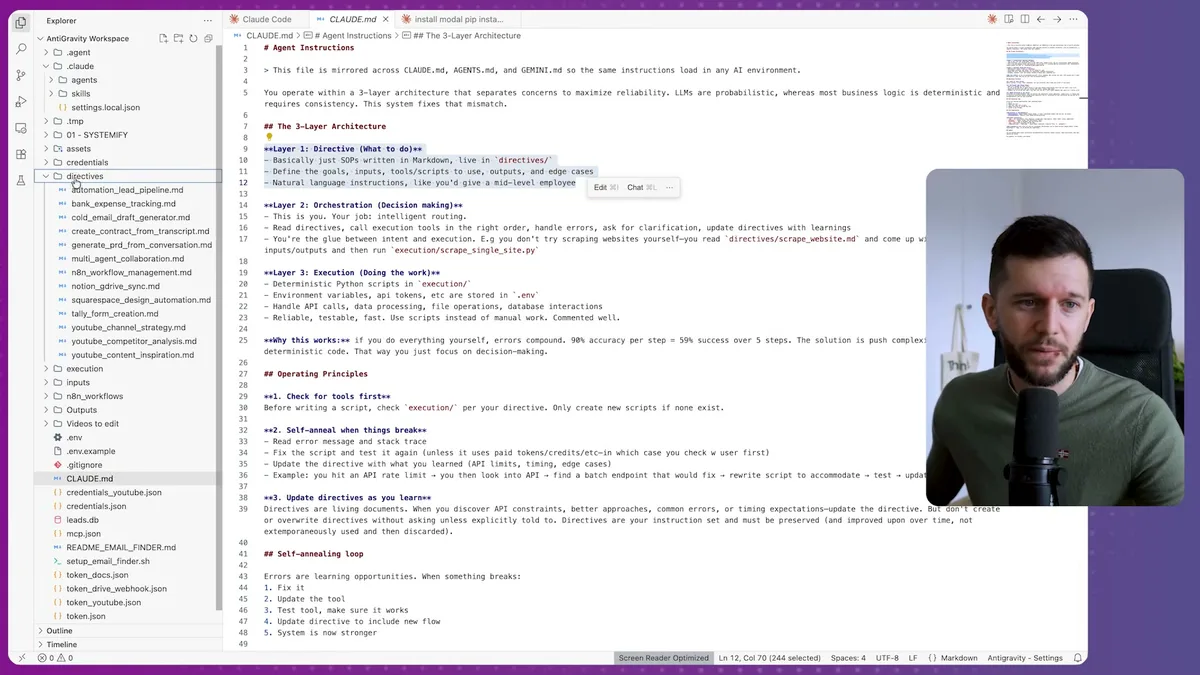
This creates two main layers:
- Directives - Markdown files that explain your automation flow in plain English
- Execution - Python scripts that actually run the automations
For example, one of my directives says: "The purpose is to automatically create a Google Drive folder structure when new clients are added to a Notion leads and clients database."
That's it.
Plain English.
Claude Code then creates all the Python scripts referenced in each directive.
One directive might reference multiple scripts, and when you invoke that directive, all the related scripts run automatically.
But there's one more piece we need.
If I want to trigger this automation from Notion using webhooks, I can't just store the code on my local computer.
I need it hosted somewhere that can receive webhook calls 24/7.
That's where Modal comes in.
Modal is basically a computer in the cloud that runs your code around the clock.
You get $5 of processing for free when you sign up, and if you add a credit card, they give you $25 extra.
In my experience, that can run for years because these automations are incredibly cheap to process.
The beautiful thing is that Claude Code handles the Modal integration automatically.
I just tell it to connect to Modal, and it does everything for me.
Building the Client Onboarding Automation
Now for the fun part.
I want to create an automation that triggers when a lead in my Notion database reaches a specific status.
When that happens, it should create a Google Drive folder for that client and make it shareable with edit permissions.
Here's literally what I told Claude Code:
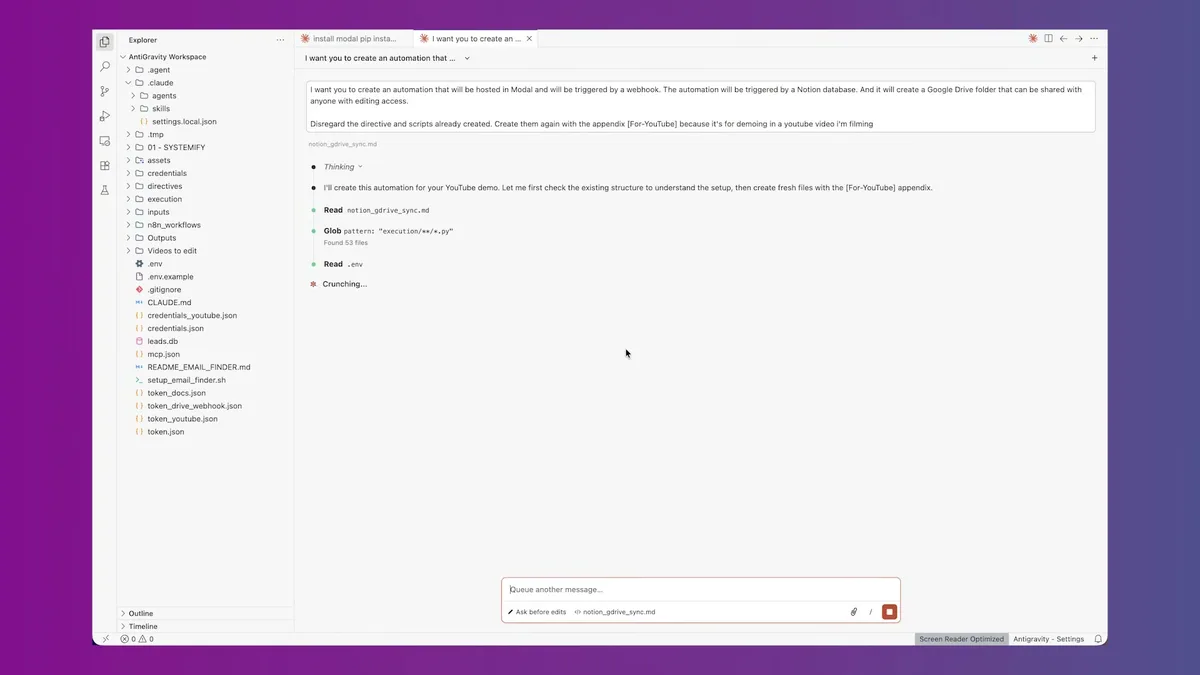
"I want you to create an automation that will be hosted in Modal and will be triggered by a webhook. The automation will be triggered by a Notion database and it will create a Google Drive folder that can be shared with anyone with editing access."
That's it.
No technical specifications. No step-by-step instructions. Just what I wanted.
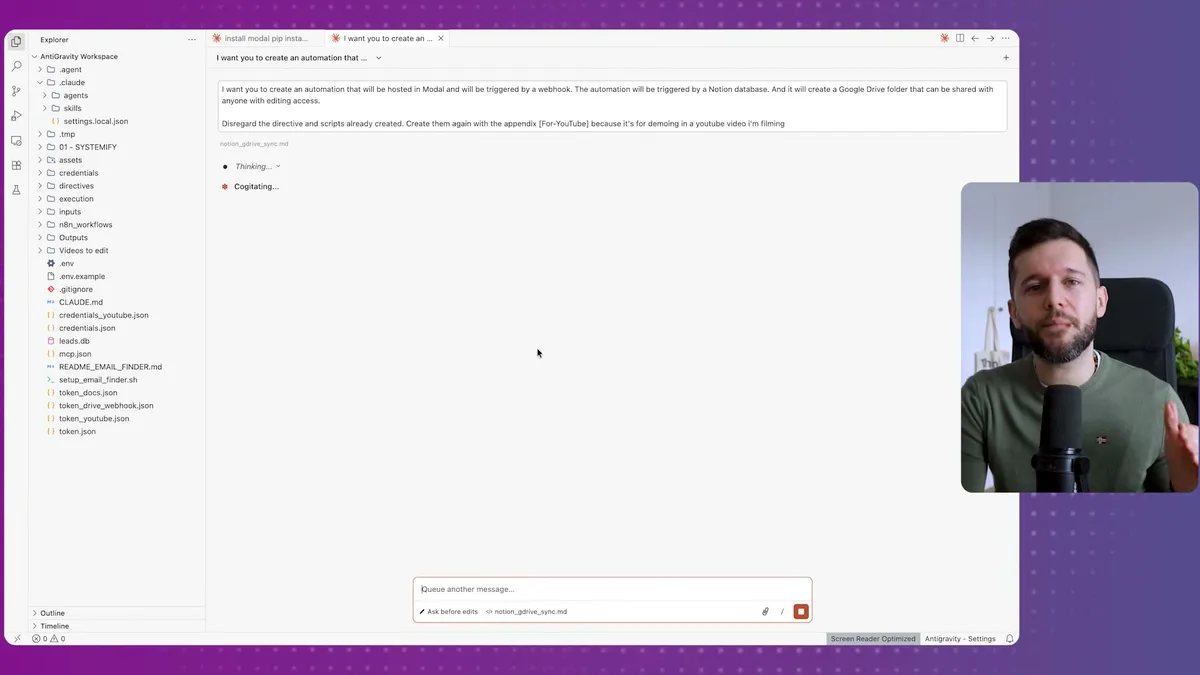
Claude Code immediately started creating all the directives and Python scripts.
Then it guided me through the setup process step by step.
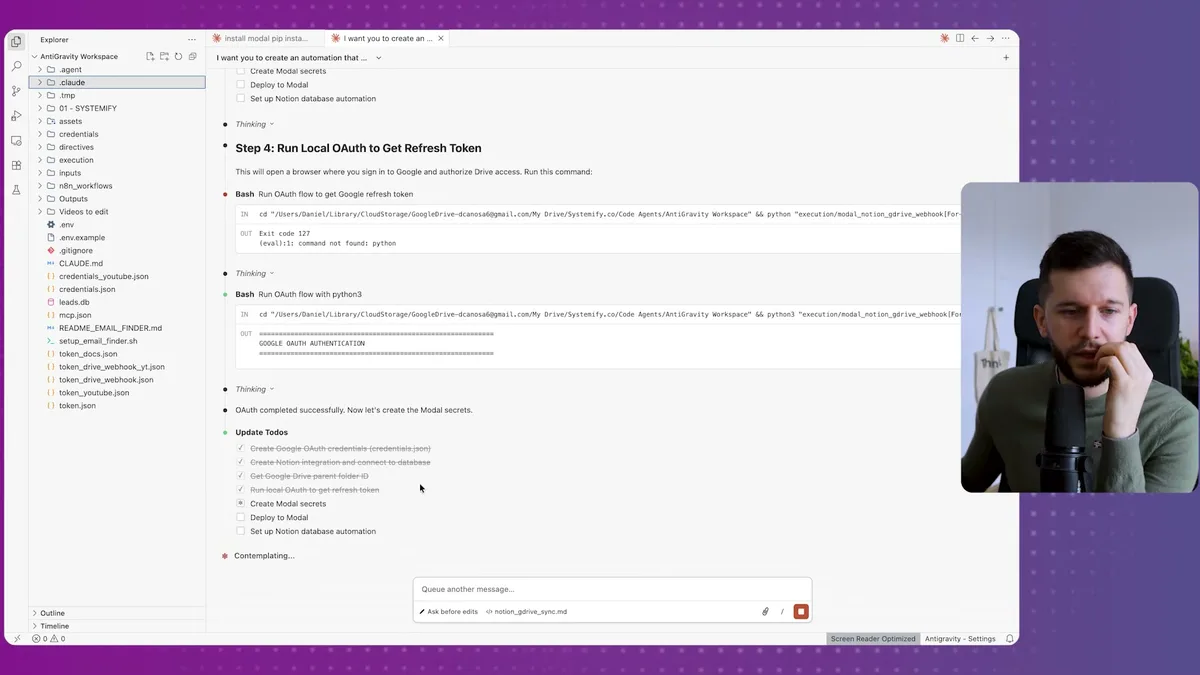
First, it needed access to Google Drive.
Instead of me figuring out OAuth flows and API credentials, Claude Code just said "run auth to get tokens" and walked me through the entire process.
When it told me to do something technical, I just said "No, you do it for me and guide me."
And it did.
Next, the Notion integration.
Claude Code told me exactly where to go: Notion → My Integrations → Create New Integration.
I created the integration, copied the internal secret, and pasted it where Claude Code asked.
Then it needed the Google Drive parent folder ID.
This is where all my client folders get created.
I have a "Clients" folder in Google Drive, and Claude Code needed its ID to know where to create new folders.
The ID is right there in the URL when you open the folder.
I copied it, told Claude Code I had it, and moved on.
Here's where it gets really impressive.
Claude Code automatically prompted me to authorize the Google Drive connection.
It created all the Modal secrets by itself.
It deployed the automation to Modal without me touching a single button.
And it gave me the webhook URL I needed for Notion.
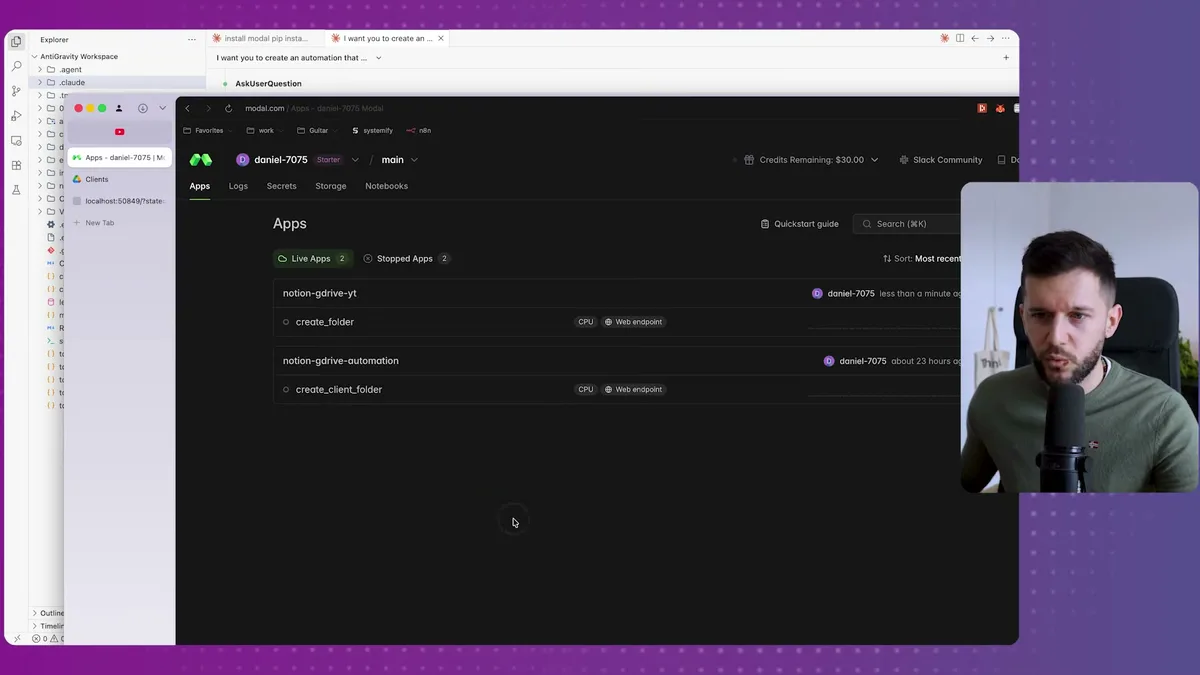
All I had to do was copy that webhook URL, go to my Notion database, and create an automation:
When status = "Onboarding" → Send to webhook.
Done.
Time to test it.
I changed one of my leads to "Onboarding" status.
Within seconds, I had a Google Drive link in my Notion database.
I clicked the link, and there was a new folder with the client's name.
I checked the permissions: everyone can edit.
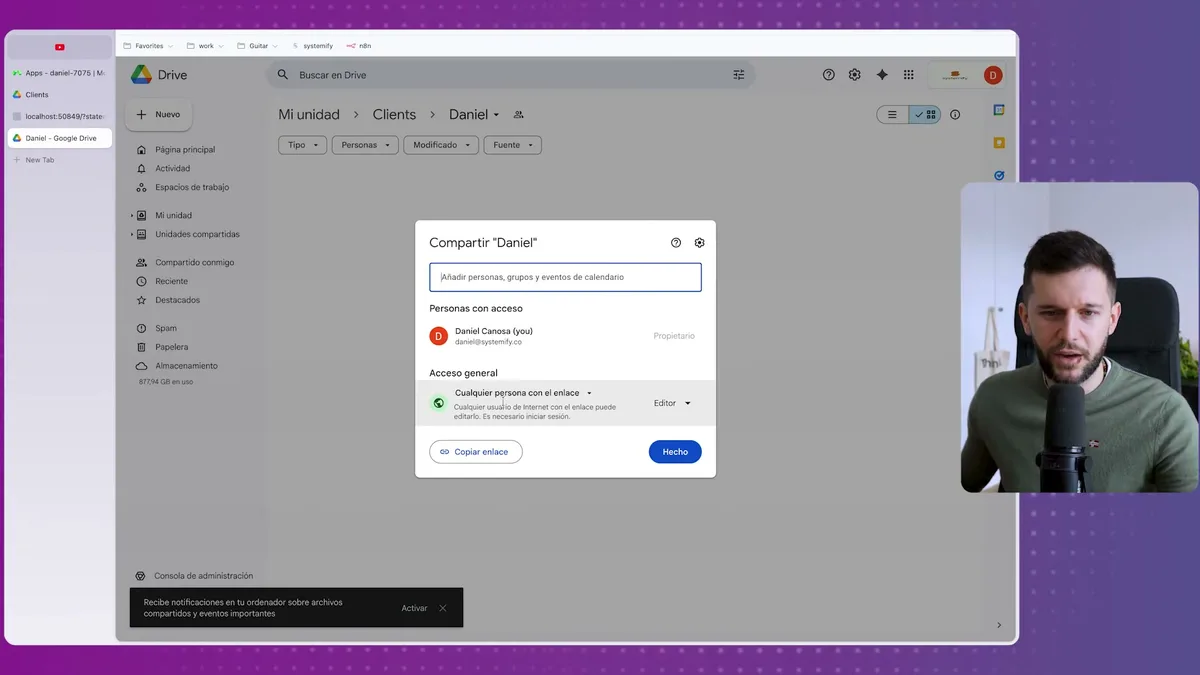
The entire automation worked perfectly on the first try.
No coding. No debugging. No figuring out API documentation.
Just plain English instructions and Claude Code handling everything else.
The Reality Check: When to Use This vs Traditional Tools
Now, before you get too excited, let me give you the reality check.
This is not all rainbows.
Yes, it's incredibly fast if you don't have technical knowledge.
But that's also the biggest limitation.
I have no idea what's happening under the hood.
Let's say I change a client name from "Daniel" to "Daniel@company.com" with an @ symbol.
Maybe the automation isn't ready for that character and breaks.
Will I know? Probably not immediately.
Traditional tools like Make or Zapier have built-in error handlers that are easy to understand.
When something breaks, you get an alert, you can see exactly what failed, and you know how to fix it.
With Claude Code, debugging is much harder.
If this automation is running in production for a big company and it silently fails, that's a serious problem.
You'd have to go back to Claude Code and say "Hey, this errored, please help me fix it."
But good luck figuring out what actually broke and when.
So when should you use this approach?
In my opinion, Claude Code is perfect for:
- Quick prototypes when you want to test an automation idea
- Simple, low-stakes automations where silent failures won't hurt your business
- Learning purposes to understand how complex automations work
Stick with traditional no-code tools for:
- Production automations that are critical to your business
- Complex workflows that need detailed error handling
- Situations where you need to understand exactly what's happening at each step
There's also a middle ground I'm excited about.
You can use Claude Code to build automations within n8n (which has MCP support).
This gives you the best of both worlds: Claude Code handles the logic, while n8n provides the visual interface and better debugging capabilities.
I've already tested this approach, and honestly, it's fantastic.
The bottom line?
If you've learned Make or Zapier, your work wasn't useless.
That knowledge actually makes you better at prompting Claude Code because you understand how automations should work.
But for quick wins and exploring new automation ideas, Claude Code is genuinely impressive.
Just bear in mind the limitations before you put it into production.
Frequently Asked Questions
Do I need coding experience to build Notion automations with Claude Code?
No. The entire process uses plain English instructions. You describe what you want the automation to do, and Claude Code generates the directives, Python scripts, and cloud deployment configuration. If you have experience with tools like Make or Zapier, that knowledge actually helps you write better prompts.
Is Claude Code free to use for building automations?
Claude Code requires at least the Pro plan subscription. For hosting the automations, Modal offers free credits ($5 on signup, $25 more with a credit card) that can run lightweight automations for a long time. The processing costs for these types of automations are very low.
When should I use Claude Code versus Make or Zapier for automations?
Use Claude Code for quick prototypes, testing automation ideas, and simple low-stakes workflows. Use Make or Zapier for production automations that are critical to your business, because they offer built-in error handling, visual debugging, and step-by-step inspection that Claude Code currently lacks. You can also combine both by using Claude Code to build automations within n8n for the best of both worlds.
Ready to see where your business stands with AI and automation? Take our AI Readiness Scorecard to find out.
Get more like this in your inbox
AI implementation insights for service business founders. No fluff.