Business Systems
Business Systems: How to Stop Being Essential to Your Business
Learn how to build repeatable systems that eliminate chaos, reduce time drain, and scale your business without burning out. Real framework inside.
Daniel Canosa ·
TL;DR: To stop being essential to your business, standardize your service delivery into a repeatable process, then build systems (like Notion automations) that assign tasks, link SOPs, and track progress automatically. The hard part is defining the process; the tooling is straightforward once that is done.
Key Takeaways
- The five problems trapping service business owners in delivery are chaos, time drain, fear of delegation, inefficiency, and financial loss from unrealized capacity.
- A working business system must be repeatable, automated, documented, and scalable.
- Linking SOPs directly to each task eliminates interruptions and removes the owner as the knowledge bottleneck.
- Standardizing your service process is the real work; building the system in Notion (or any tool) is the easy part that follows.
- Automating task creation by project status lets managers oversee delivery from a dashboard instead of micromanaging every step.
I used to be the bottleneck in my own business.
Every time I took a break, everything stopped working.
The problem wasn't that I was lazy or didn't want to delegate.
The problem was that I was over-involved in service delivery, and I didn't have the systems to step back.
After reading tons of books and watching countless videos, I realized something important.
As business owners, we need to get out of service delivery as soon as possible.
Only then do we have time to actually grow the business, work on strategy, and focus on the things that move the needle forward.
In this post, I'm going to show you exactly how I did it.
I'm going to pull back the curtain on the Notion system that Systemify uses to fulfill all of our client projects.
You'll see how this system allows me to step completely out of delivery while maintaining quality and hitting deadlines.
The Five Problems Every Service Business Owner Faces
Before I show you the system, let's talk about what we're really trying to fix.
There are five specific problems that keep service business owners trapped in delivery.
First, there's the chaos inside your company.
Everything relies on you, and all the knowledge lives in your head.
As you grow, this chaos multiplies.
It's not sustainable.
Second is the time drain.
Most tasks you're doing manually could be automated, but you never have time to set up those automations.
You're too busy putting out fires.
Third is the fear of delegation.
When you don't have proper systems and documentation, delegation feels risky.
I mean, what if they mess it up worse than you would?
Fourth is inefficiency.
Without SOPs, new hires interrupt you constantly with questions.
This makes you even more hesitant to hire, which keeps you stuck doing everything yourself.
Finally, and probably most important, is the financial loss.
A company running without structure and systems is bleeding money every month.
You might not see it directly because what you're losing is the capacity to earn more.
Let's say you're at 10K per month and feeling overwhelmed.
With proper systems, you could probably hit 20K per month with the same effort.
So you're actually losing 10K monthly due to inefficiencies.
Bear in mind, these problems compound over time.
The longer you wait to systemize, the harder it becomes to break free.
The Four Pillars of a System That Actually Works
When I started building this system, I had four specific requirements.
The system had to be repeatable.
The process needs to follow the same steps every single time.
If you're doing things differently for each client, it's impossible to create a system around it.
It had to be automated.
The less human intervention required, the better.
I know clients who used to be the bottleneck in their own processes, constantly telling employees what to do next.
Don't be that person.
Everything had to be documented.
This is crucial for making your company dependent on the system, not on you.
When you hire people, they come and go.
Proper documentation eliminates training time and reduces the questions they'll ask you.
Finally, the system had to be scalable.
Growth shouldn't create more chaos.
The system needs to handle whatever scale you reach in the future.
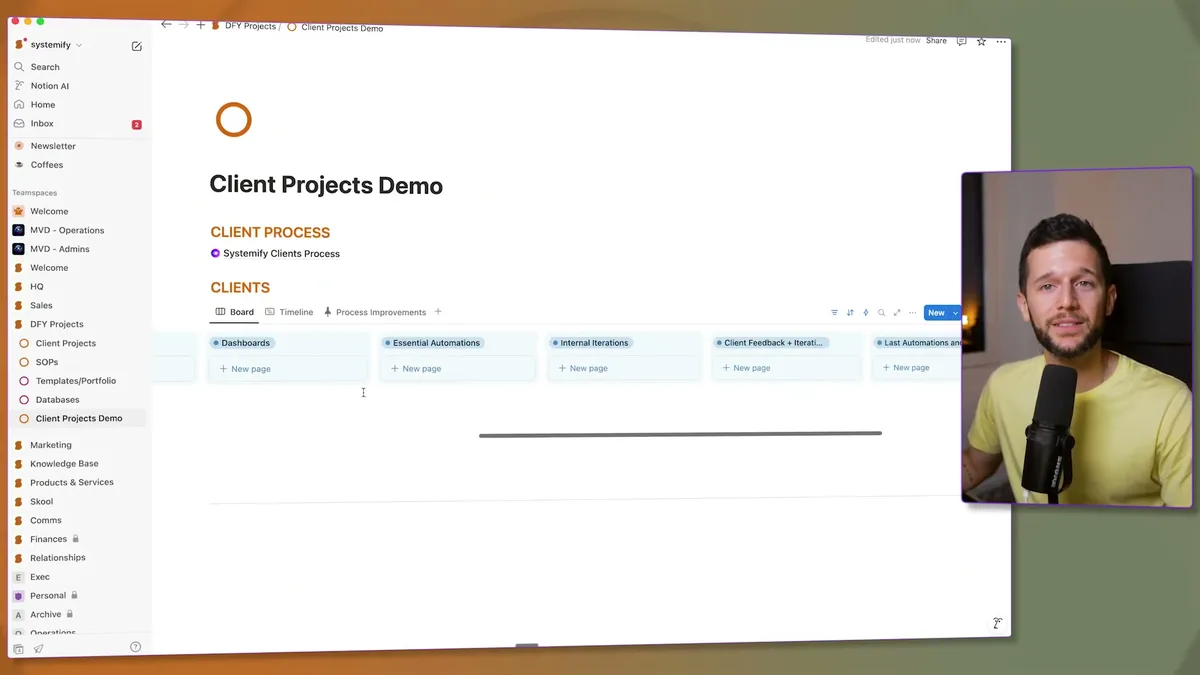
This is our actual system.
It looks simple, but there's a long thought process behind making things this streamlined.
The first step was defining the exact process every client goes through.
For us, that meant standardizing how we provide services.
Honestly, this took me more than four years to get right.
If you're just starting, it's completely normal that your service isn't standardized yet.
You don't have enough data to do it properly.
But as you deliver your service over and over, you'll discover what works and what doesn't.
You'll stop doing things that don't provide much value.
With time and experience, your process will become consistent.
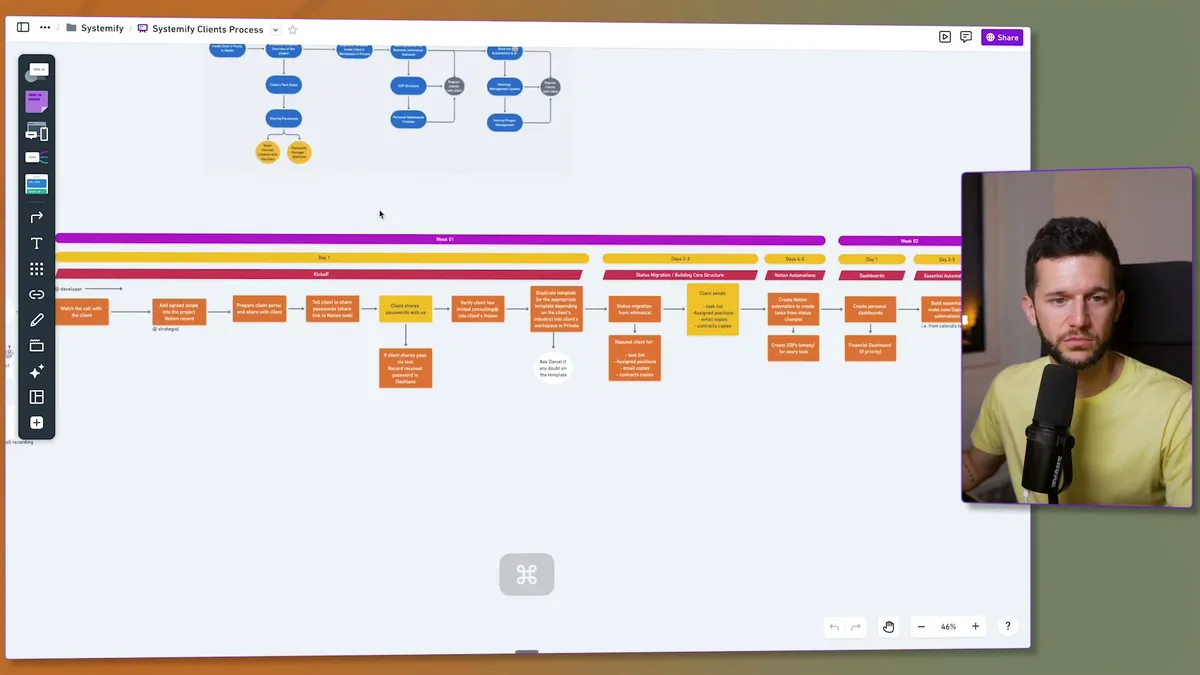
This is our actual process.
We've separated everything by weeks and even by days.
Once a client pays, everyone knows exactly what they need to do and when, all the way through week 12.
By the way, we're constantly iterating on this.
We test it, find improvements, then update the system.
The key insight here is separating everything into different statuses.
Whenever I want a new set of tasks to be created, I create a new status.
This allows Notion's automations to generate all the relevant tasks at each stage.
How the System Replaces Me in Real Time
Let me show you how this works with a real example.
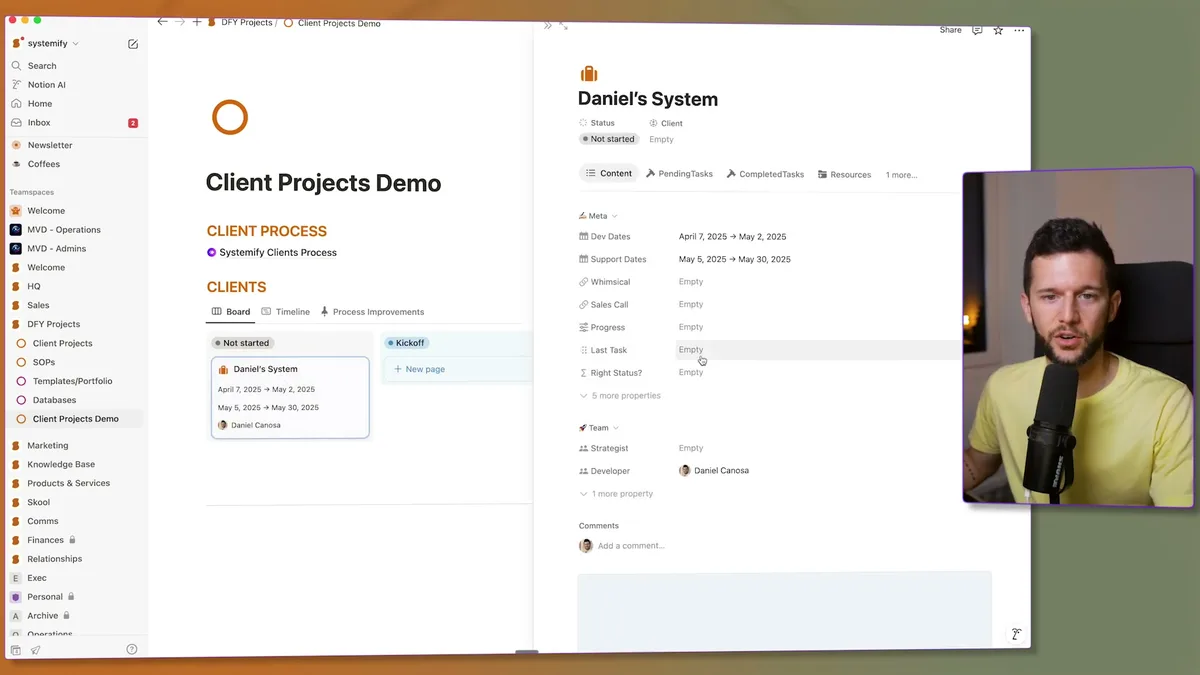
I created this demo project called "Daniel's System."
You can see all the key information: development dates, support dates, team assignments.
For every client, we create a process map before we start, so the developer has all the context they need.
The magic happens when we move a project to the next status.
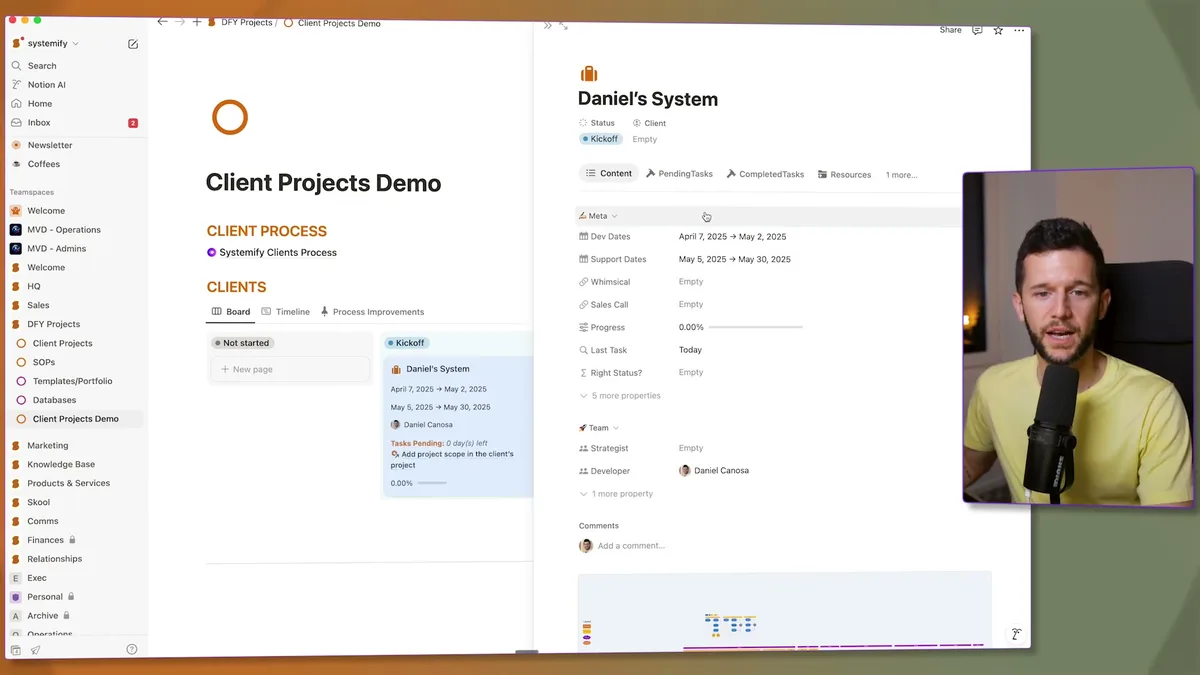
Watch what happens when I drag this project to "Kickoff."
Multiple tasks get created automatically.
Each task is assigned to the right team member based on their role.
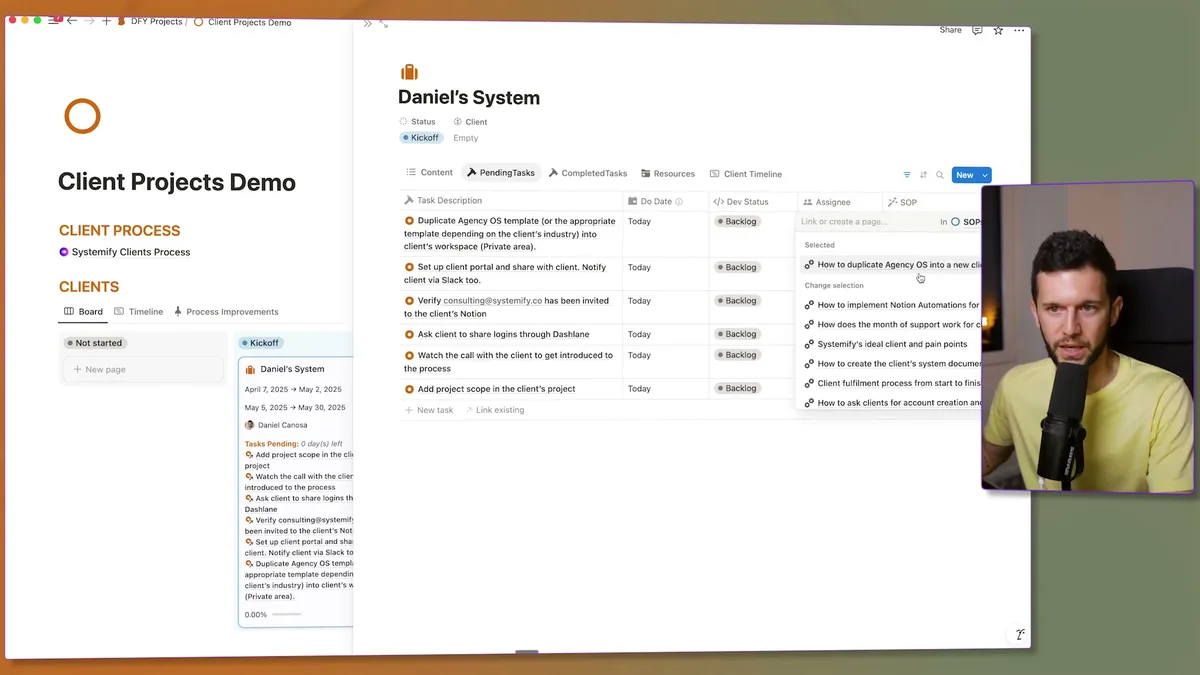
Here's the beautiful part: every task that needs an SOP has the SOP linked right next to it.
When the developer sees "Duplicate the Agency OS Template" and doesn't know how to do it, they just click the SOP link.
No questions for me.
No interruptions.
No confusion.
The system also tells me, as the manager, how many days are left to complete all tasks in each status.
We've defined that kickoff tasks should take one day.
Once they're all done, the percentage hits 100%, and we move to the next status.
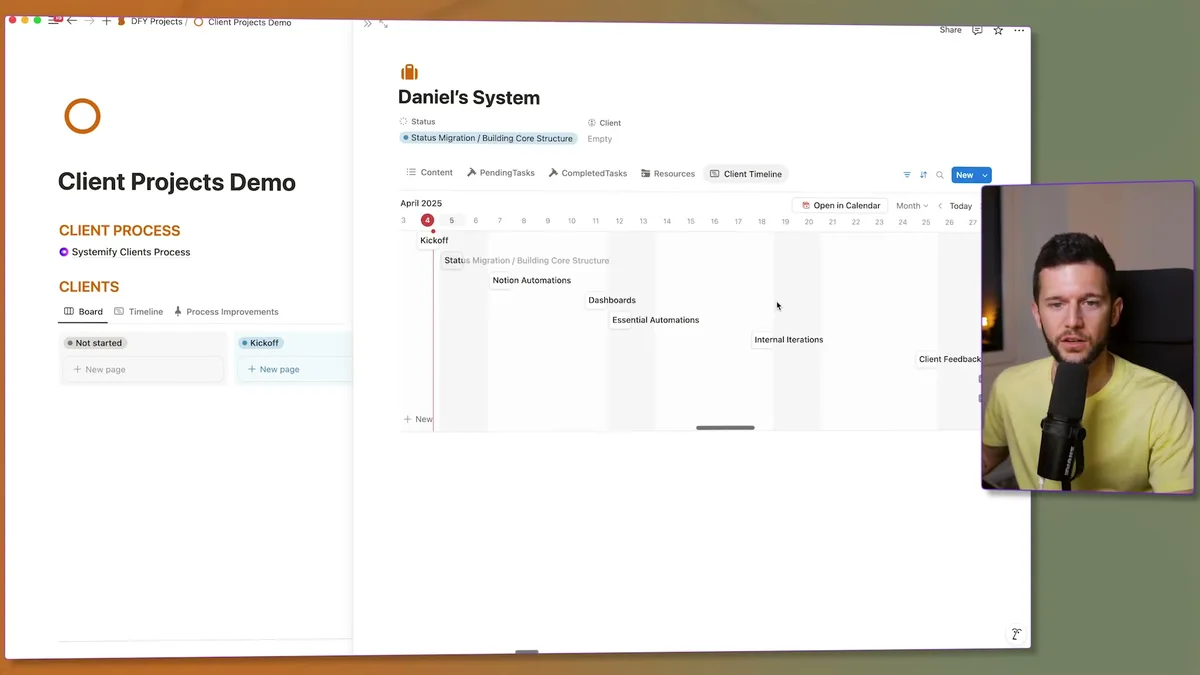
Since we've standardized the process so well, the system automatically creates the client timeline.
When this project kicked off on April 4th, the entire timeline generated automatically.
I can see from a bird's eye view whether projects are on time or running late.
This is crucial because we're designing for two different roles: the executors who deliver the service, and the managers who oversee everything.
The goal is to minimize communication between founders and delivery teams.
If the system can provide the information, we don't need to use anyone's time for status updates.
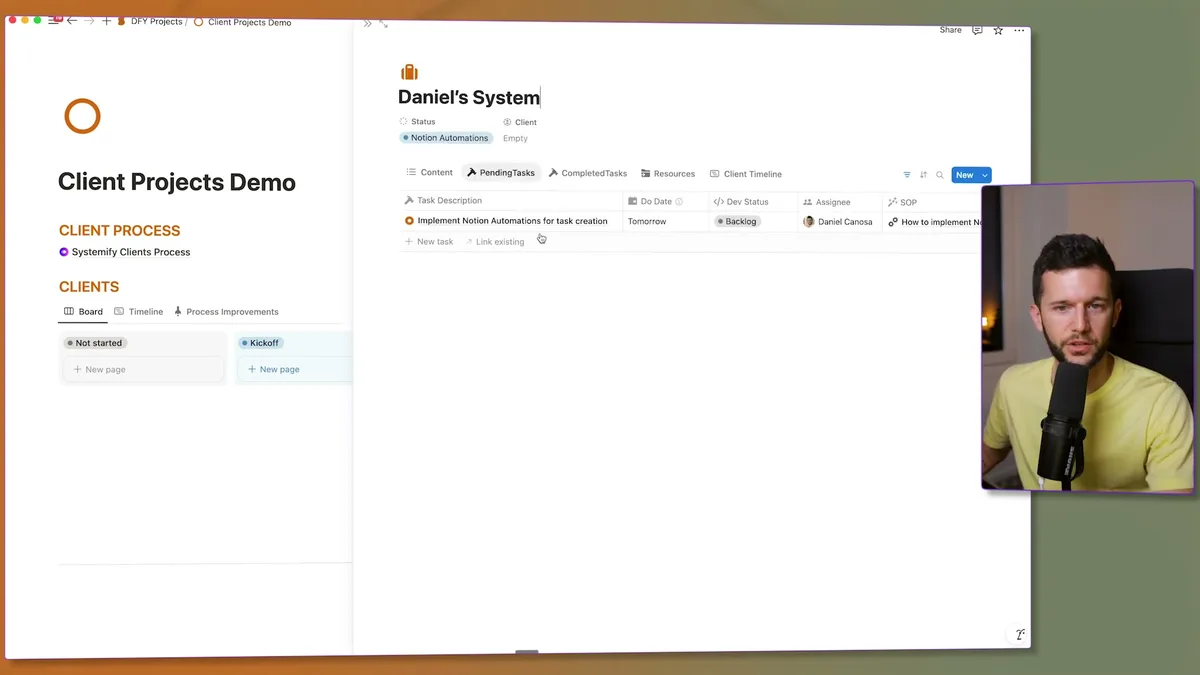
The process is completely consistent every time.
Complete the tasks, move to the next status, and new tasks get created automatically.
Each status has its own set of tasks with linked SOPs.
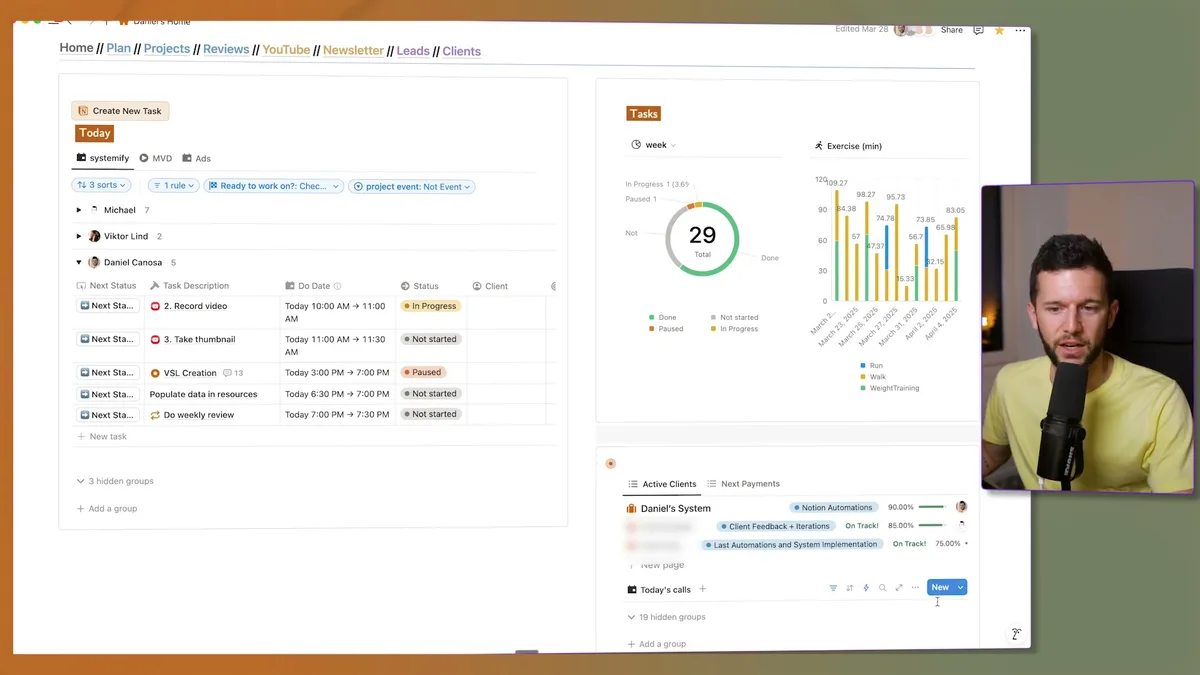
From my personal dashboard, I can see all active clients at a glance.
The system tells me whether they're on track or running late, plus the percentage of tasks completed.
Just by looking at this view, I know if I need to check in with the team about any delays.
Now, technically, this isn't very hard to build.
It's basically one database with a status property and multiple automations that create tasks.
The real work is defining the process.
You need to figure out when you do each thing, in what order, and who does what.
This process map tells you everything else.
It shows you which SOPs you need because you've uncovered all the tasks.
It reveals the different statuses your system requires.
This is the actual hard part: standardizing your service and turning it into a repeatable process.
But once that's done, building the system is straightforward.
The system I've shown you has completely replaced me in service delivery.
My team knows exactly what to do at every stage.
Clients get consistent results.
And I can focus on growing the business instead of being trapped in the day-to-day operations.
Bear in mind, this didn't happen overnight.
It took years to refine our process and build the supporting systems.
But the investment was worth every hour because it gave me my business back.
If you're ready to start systemizing your service-based business, the first step isn't building in Notion.
The first step is standardizing your process until it's repeatable every single time.
Everything else flows from there.
Frequently Asked Questions
How long does it take to build a business system like this?
Defining and standardizing the process is the longest part and can take months or even years of iteration. Once the process is clear, building the actual system in Notion (databases, automations, SOPs) can be done in a few weeks. The investment pays back quickly once your team can operate without constant guidance from you.
Do I need Notion specifically to make this work?
No. The principles (repeatable process, automated task creation, linked SOPs, dashboard oversight) apply to any project management tool. Notion works well because of its flexibility with databases, automations, and linked content, but you could implement the same structure in Monday.com, ClickUp, or similar platforms.
What if my service is too custom to standardize?
Most service businesses have a core process that repeats across 80% of clients, even if each project feels unique. Start by documenting the steps you do every time, then treat truly custom work as exceptions you layer on top. The goal is not 100% standardization; it is automating the repeatable parts so you only spend time on what genuinely requires your judgment.
Ready to see where your business stands with AI and automation? Take our AI Readiness Scorecard to find out.
Get more like this in your inbox
AI implementation insights for service business founders. No fluff.