Notion · AI & Automation
Notion AI Meeting Notes: Setup & Business Use Guide
Learn how to use Notion's new AI meeting notes block to transcribe, summarize, and organize client calls in one centralized workspace.
Daniel Canosa ·
TL;DR: Notion's AI Meeting Notes block records your computer audio directly (no bot joining your call), transcribes in real time, and generates editable summaries. Everything lives on the same Notion page as your client data, eliminating the need to jump between separate transcription tools and your workspace.
Key Takeaways
- Notion's AI Meeting Notes captures audio directly from your computer's microphone and speakers, so there is no bot joining your video calls.
- Transcripts and summaries are fully editable. You can fix errors in the transcript and regenerate the summary with your corrections.
- Notion Calendar integration can automatically create AI meeting notes pages for every calendar event, linking them to the right databases.
- The main limitation is speaker identification, since Notion only has audio access. It cannot label who said what, though summaries infer context reasonably well.
- For service businesses, having meeting notes automatically connected to client management, project tracking, and task systems eliminates the friction of switching between standalone tools.
I've been waiting for something like this from Notion for months.
Their new AI Meeting Notes block just dropped, and honestly, it's already changing how I run client meetings.
Let me walk you through exactly what this means for your business.
Why This Actually Matters (Beyond the Hype)
Here's the thing that Notion gets right.
There are tons of AI transcription tools out there, and don't get me wrong, they're solid.
But they're another tool.
I was paying $25 per month for CircleBack, which is genuinely great at what it does.
But then I'd have to jump between apps to connect the dots.
For example, let's say I'm in a meeting with one of my consulting clients.
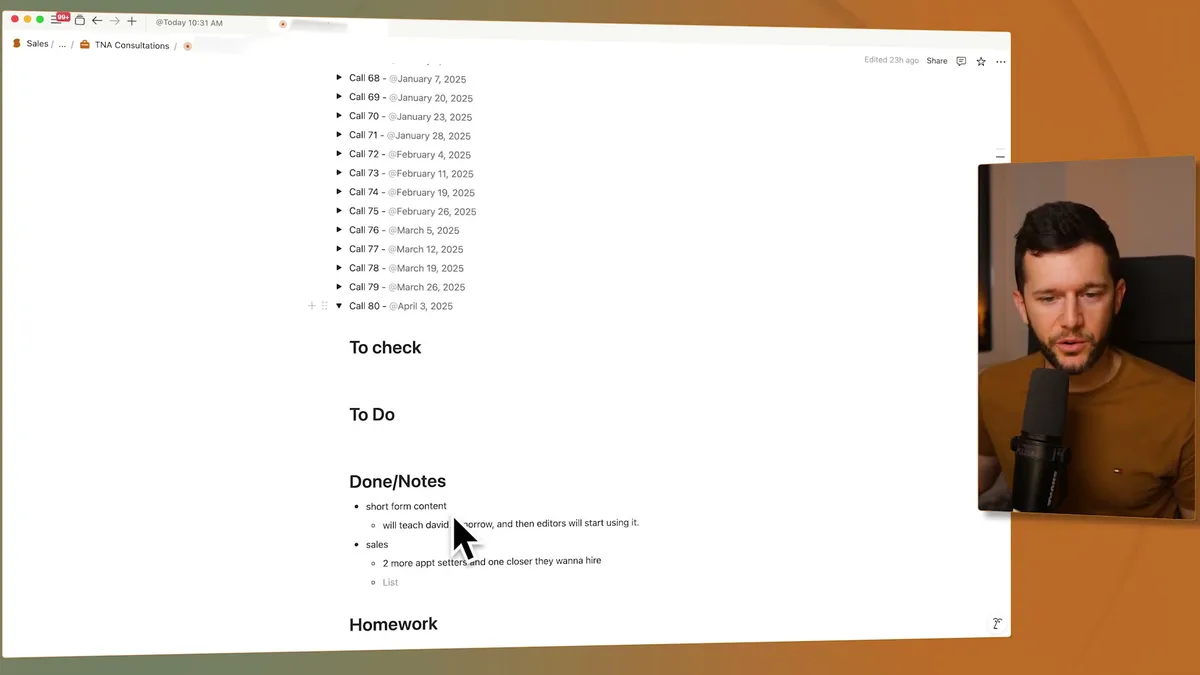
I have this client page open during our call.
I'm taking notes manually, but honestly, my handwritten notes sometimes suck.
If I want to review what happened in our April 3rd call three weeks later, I'd have to open CircleBack, search for the meeting, dig through their interface.
Then I'd have to piece together my manual notes with their AI summary.
It's friction.
And friction kills consistency.
I even built an automation to push CircleBack data into Notion automatically, but that setup gets complex fast.
Now, with this new block, everything lives in one place.
My summary, my transcript, my manual notes.
All inside the same Notion page where I keep everything else about that client.
How the AI Meeting Notes Block Actually Works
The setup is dead simple.
On any Notion page, type /meeting and you'll see the new AI Meeting Notes block.
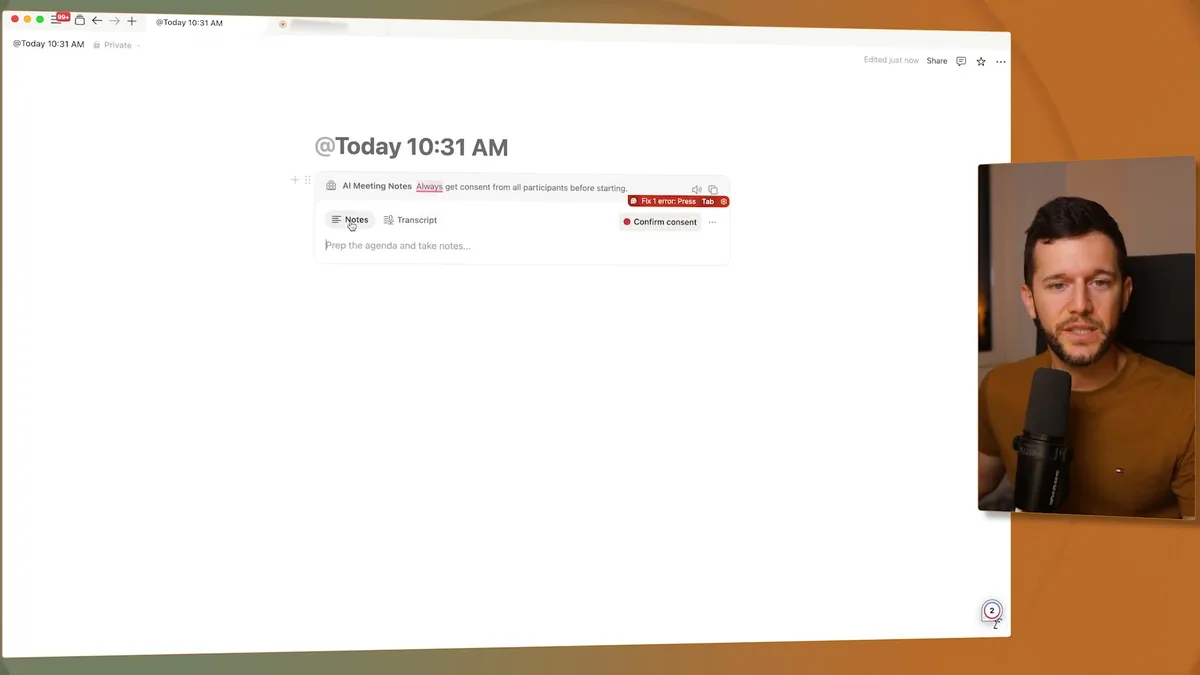
This is the first time I've seen tabs inside a Notion block.
You get Notes for manual typing and Transcript for the AI magic.
To start recording, you click the record button and get a consent screen.
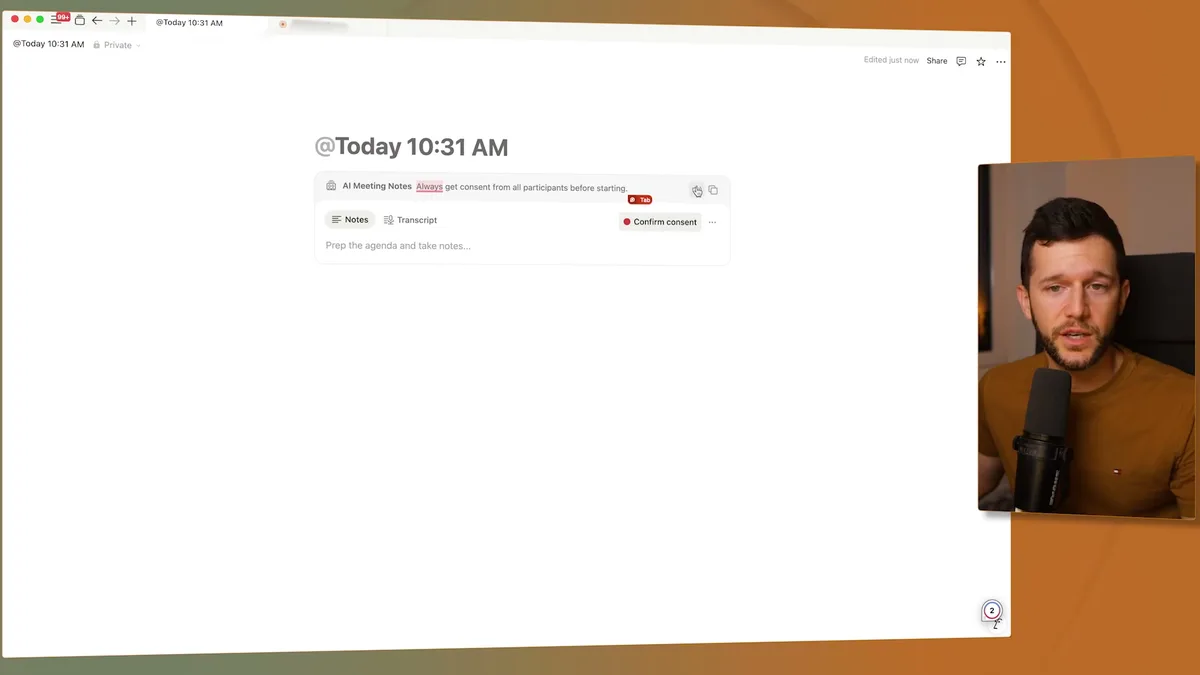
Bear in mind, you need to tell other people on the call that you're recording.
Notion gives you a default script, but honestly, I just say "Hey, I'm using Notion AI to transcribe our meeting for notes" and move on.
Once you confirm consent, it starts transcribing in real time.
Here's where it gets interesting.
Most AI meeting tools send a bot into your Zoom or Google Meet.
Notion doesn't do that.
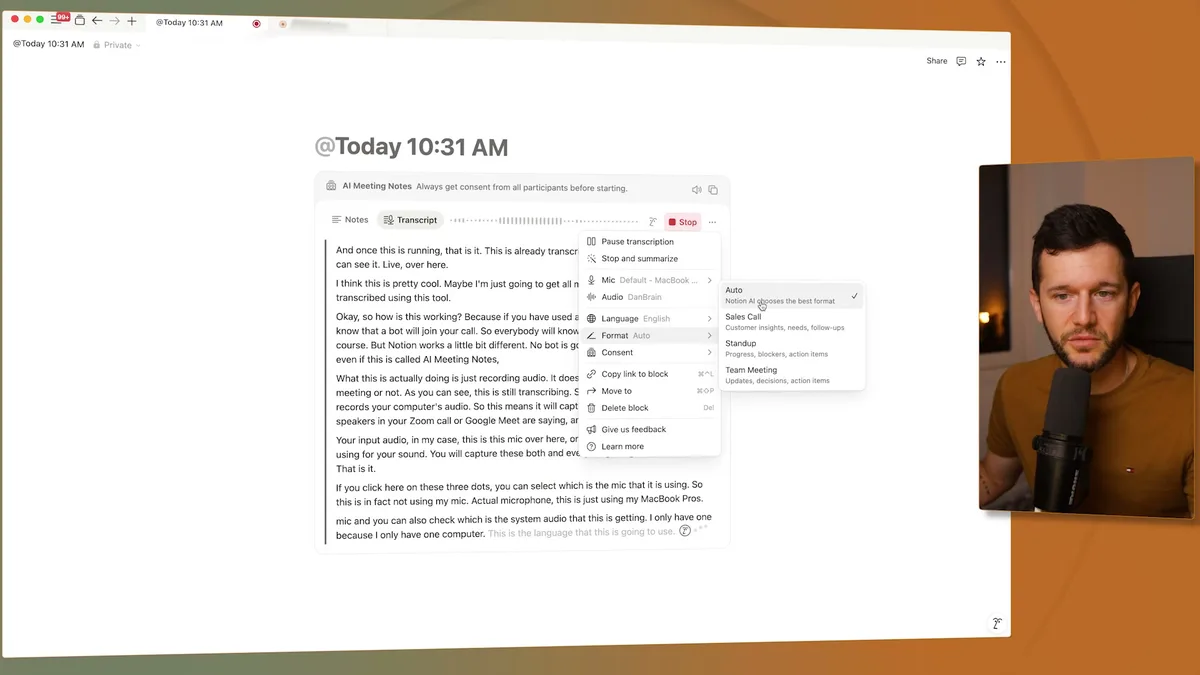
Instead, it records your computer's audio directly.
It captures everything coming through your speakers (what others are saying) plus your microphone input.
No bot, no extra participants, just audio recording.
You can adjust which microphone it uses and customize the format (I always leave it on automatic).
After your meeting ends, Notion generates a summary automatically.
The summary is surprisingly accurate, honestly.
It could basically be a cheat sheet for the entire conversation.
But here's what I really like - everything is completely editable.
If the AI misheard something in the transcript, I can fix it directly.
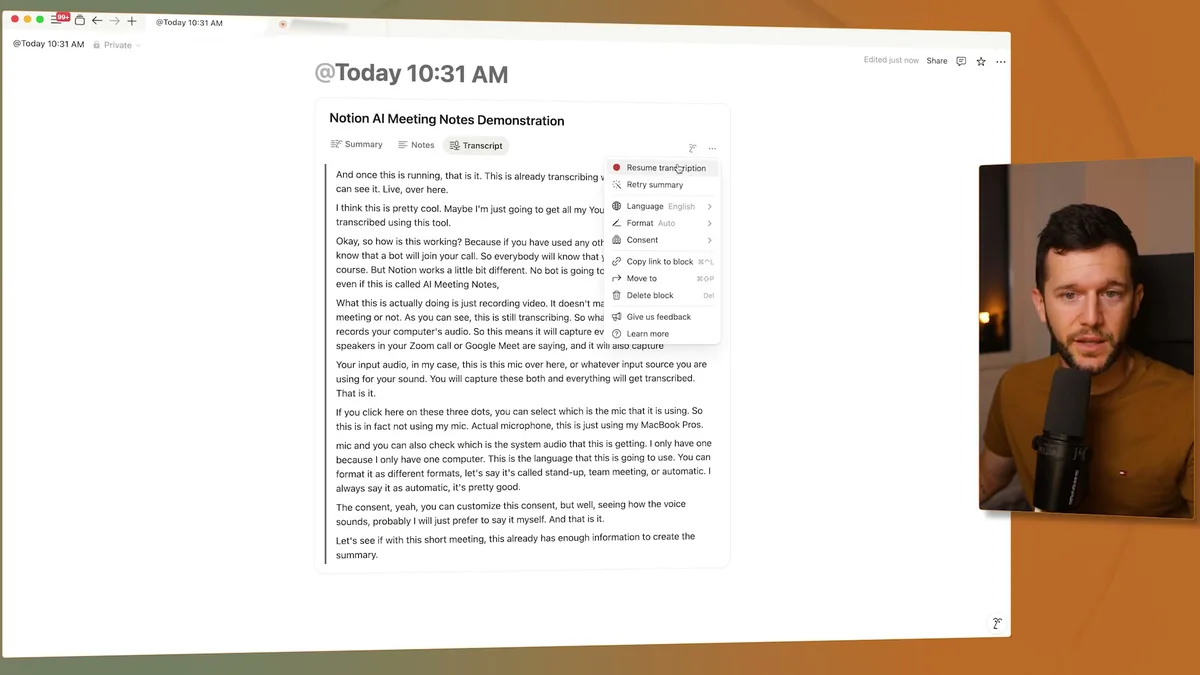
Then I can regenerate the summary with my corrections.
Or I can resume transcription if the meeting continues.
The flexibility is exactly what you'd expect from Notion.
Testing This Against Dedicated Tools
I've been running this alongside CircleBack and Fathom for the past few weeks.
Using all three at once, basically.
The accuracy is solid.
The one feature I thought I'd miss was asking questions about the meeting afterward, but Notion handles that too.
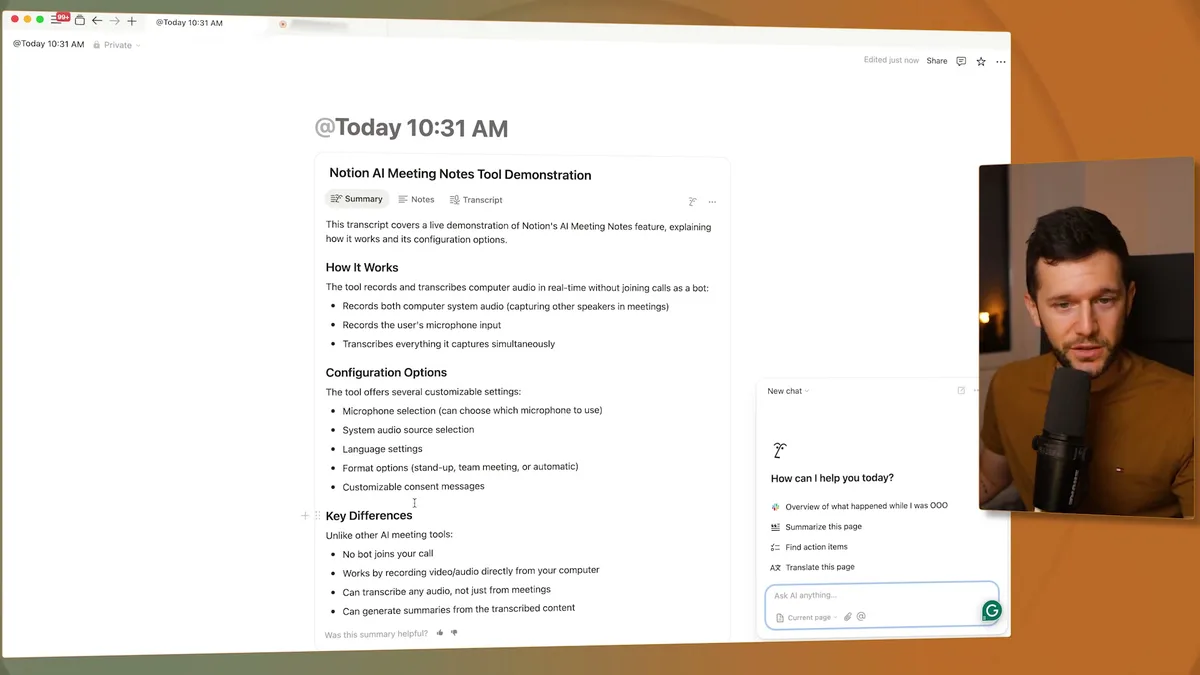
I can click "Ask AI" and query the transcript directly.
For example, "How do I change my mic in Notion AI?" and it pulls the answer from what we discussed.
Since it's reading the current page context, it stays focused on that specific meeting.
The one limitation - and this is minor - is speaker identification.
Since Notion only has access to audio, not the actual video call, it can't definitively say "John said this, Sarah said that."
Instead, you get one continuous transcript.
But from my testing, the AI is pretty good at understanding context.
In summaries, it'll say things like "Client mentioned X" or "Consultant suggested Y."
Not perfect, but honestly, it doesn't kill the usefulness.
Notion Calendar integration makes this even smoother.
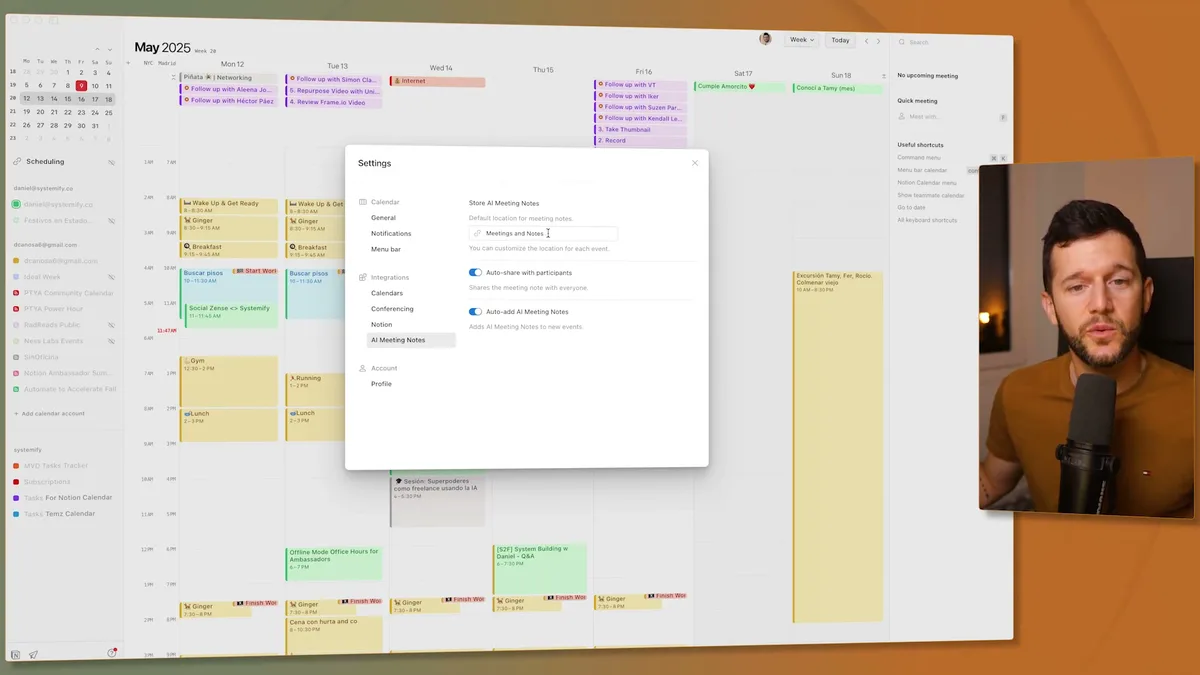
You can set it up to automatically create AI meeting notes for every calendar event.
Choose which database to store them in, auto-share with participants, whatever you need.
For me, this creates a slight workflow issue because I like keeping all client meeting notes in one consolidated page (like that client example I showed earlier).
But I can just set it to auto-create and leave those pages blank if I don't use them.
Minor con, easy workaround.
Will I cancel my other subscriptions?
Probably, yeah.
The combination of accuracy, integration, and cost savings makes sense.
I'm already inside Notion for everything else anyway.
Plus, at the end of each summary, I get next steps that I can turn into actual Notion tasks with a simple button or automation.
Everything stays in one system.
Bear in mind, this feature is still new.
I'm sure they'll add speaker identification and other improvements over time.
But right now, it's already good enough to replace dedicated tools for most use cases.
Honestly, this is another step toward Notion becoming the only tool I need for running my business.
As they keep adding features like this, I use fewer standalone apps every month.
For service businesses especially, having meeting notes that automatically connect to your client management, project tracking, and task systems is huge.
No more jumping between tools to piece together what happened in your last client call.
Ready to see where your business stands with AI and automation? Take our AI Readiness Scorecard to find out.
Frequently Asked Questions
Does Notion AI Meeting Notes send a bot into my Zoom or Google Meet call?
No. Unlike most AI transcription tools, Notion records audio directly from your computer's microphone and speakers. There is no bot participant joining your call, which means attendees will not see an extra person or recording indicator from Notion's side.
Can Notion AI Meeting Notes identify who is speaking?
Not precisely. Since it only captures audio without access to the video call's participant data, it cannot definitively label speakers. However, the AI summary does a reasonable job of inferring context, using phrases like "client mentioned X" or "consultant suggested Y."
Is Notion AI Meeting Notes accurate enough to replace dedicated transcription tools like Fathom or CircleBack?
For most use cases, yes. The transcription accuracy is solid, summaries are surprisingly detailed, and you can ask follow-up questions about the transcript using Notion AI. The main advantage is that everything stays in one workspace alongside your client data, tasks, and project notes.
Get more like this in your inbox
AI implementation insights for service business founders. No fluff.