AI & Automation
Notion Notetaker: 4 Key Features Explained
Discover Notion Notetaker's new features including default location filing, calendar integration, and AI transcription. Learn if it replaces paid tools.
Daniel Canosa ·
TL;DR: Notion Notetaker is a refreshed version of Notion's AI meeting notes feature, now with four new capabilities: default filing rules, speaker labels, in-meeting skills, and a mobile widget. It's built into the Notion app, works with any video platform, and is included in the Notion Business plan at $20/month. For most people, it's a solid upgrade but probably not worth paying for on its own.
Key Takeaways
- Notion Notetaker is not a standalone app. It's a block inside Notion you summon with a slash command, and it captures audio directly from your computer.
- Speaker labels now work on Zoom and Google Meet, making transcripts significantly more accurate than before because the AI no longer has to guess who said what.
- Filing rules let you route meeting notes to different databases automatically, so your mastermind calls don't end up mixed in with client one-on-ones.
- In-meeting skills are the most unique feature here, but honestly, they're also the one you're least likely to use day-to-day.
- Fathom's free plan gets you most of this for nothing, so upgrading to Notion Business just for Notetaker is hard to justify unless you're already deep in the Notion ecosystem.
What Notion Notetaker Actually Is (And How It Works)
Notion Notetaker is basically a block you drop into any Notion page.
You type / and search for AI Meeting Notes, and it appears right there.
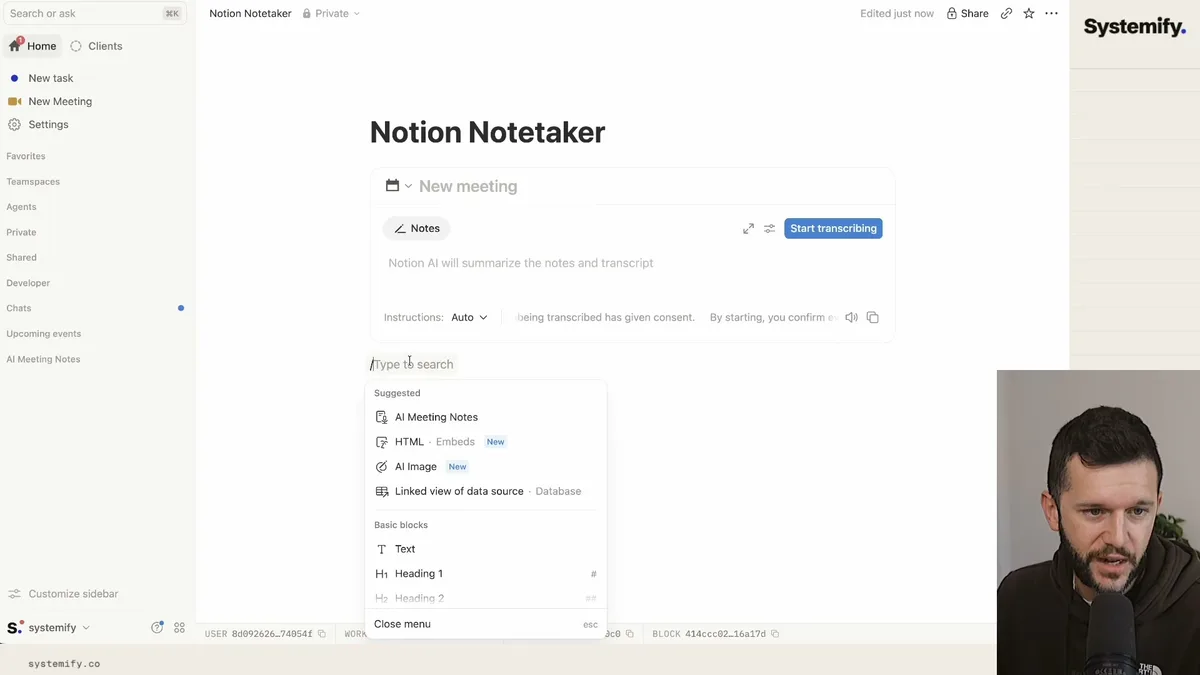
From there, you hit record, and Notion starts capturing whatever audio your computer is picking up.
That's the key thing to understand here.
Notion is not joining your call as a bot. It's not sending a "bot has joined the meeting" notification to everyone on the call. It's listening to your system audio, which means it works with Google Meet, Zoom, Microsoft Teams, cal.com, or even an in-person conversation happening next to your laptop.
When you stop the recording, Notion transcribes everything, generates a summary, pulls out key points, and lists action items automatically.
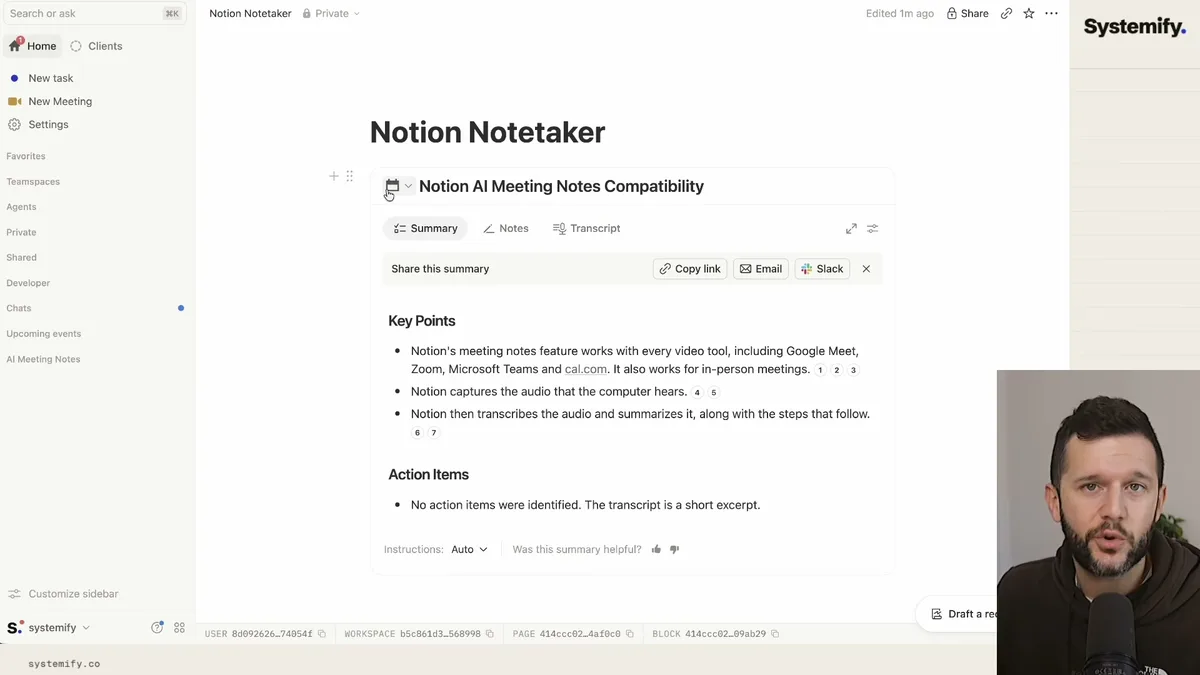
That output sits inside a Notion page, which means it's immediately available to any AI agent you've connected to your workspace.
Let's say you're using Claude or ChatGPT with access to your Notion databases. It can now read that transcript, that summary, those action items, and use them as context. So your meetings start feeding your systems instead of living in a separate app that you have to manually check.
The calendar integration is also worth mentioning.
If you connect your Google Calendar, Outlook, or iCal, Notion will show your upcoming events inside the meeting notes block so you can tag each recording to a specific event before or after the fact.
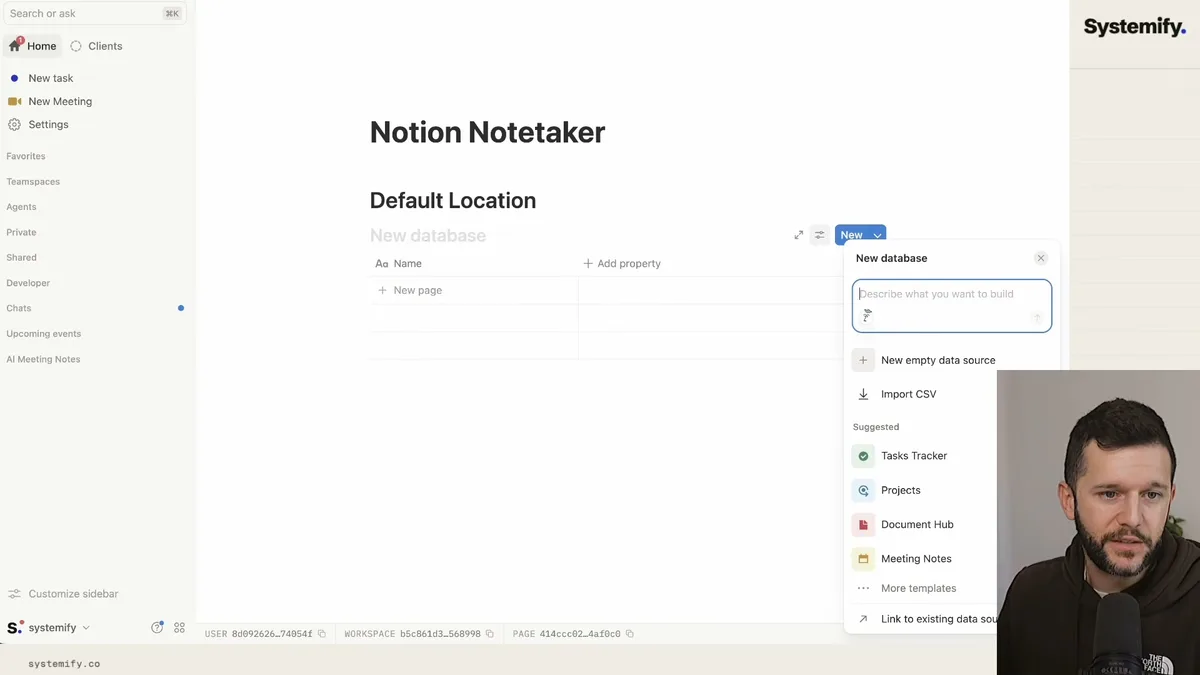
This is all happening inside the Notion app, desktop or mobile. There is no separate Notetaker app to download or manage.
The Four New Features, Explained
This is where the rebrand actually matters. Notion has added four things that the old AI meeting notes block did not have, and they range from genuinely useful to "interesting but I haven't touched it."
Feature one: Default filing rules.
If you run different types of meetings, let's say a weekly mastermind call, client one-on-ones, and internal team syncs, you probably want those notes living in different databases.
Before this update, you'd have to manually move things. Now you can set up filing rules that say "any recording tagged to my mastermind calendar event goes to the Mastermind database automatically."
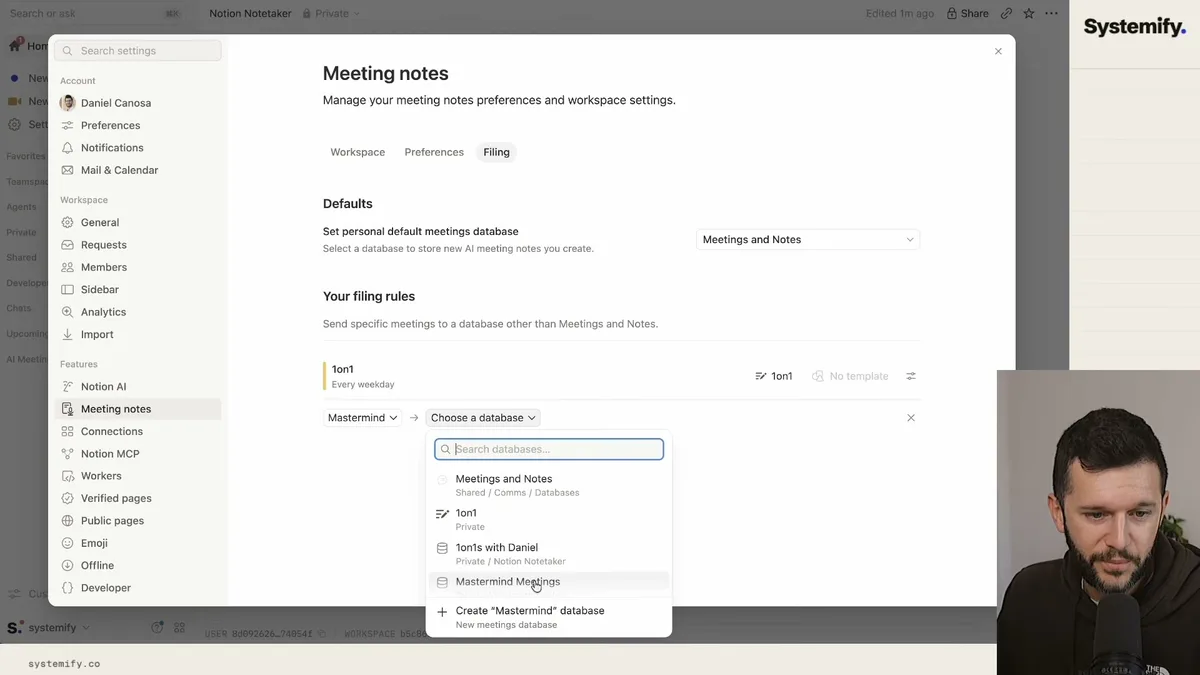
Bear in mind that the databases you're routing to need to be set up as meeting databases inside Notion. When you convert a database to that type, Notion adds the right properties automatically, things like transcript, summary, attendees, and so on.
This is actually the feature I find most useful in practice because it means the organization happens without thinking about it.
Feature two: Speaker labels.
The old transcript was basically one big block of text. Notion's AI would try to guess who was speaking based on the conversation, and honestly, it was hit or miss.
Now, Notion can actually distinguish between speakers on Zoom and Google Meet.
For Zoom, you install something through the Notion desktop settings under meeting notes preferences. For Google Meet, there's a Chrome extension. Both require the desktop apps, not the browser versions of Zoom or Google Meet.
Once it's set up, your transcript looks like an actual conversation with names attached. That makes the summaries more accurate, and it makes it much easier to review what a specific person said.
Feature three: In-meeting skills.
This one is the most conceptually interesting feature, even if it's the one I've personally used the least.
Skills are basically quick AI actions you can trigger during or after a meeting.
The default one is "catch me up." Let's say you got distracted for a few minutes and you have no idea what just happened. You click catch me up, and the Notion agent reads the transcript up to that point and gives you a quick summary.
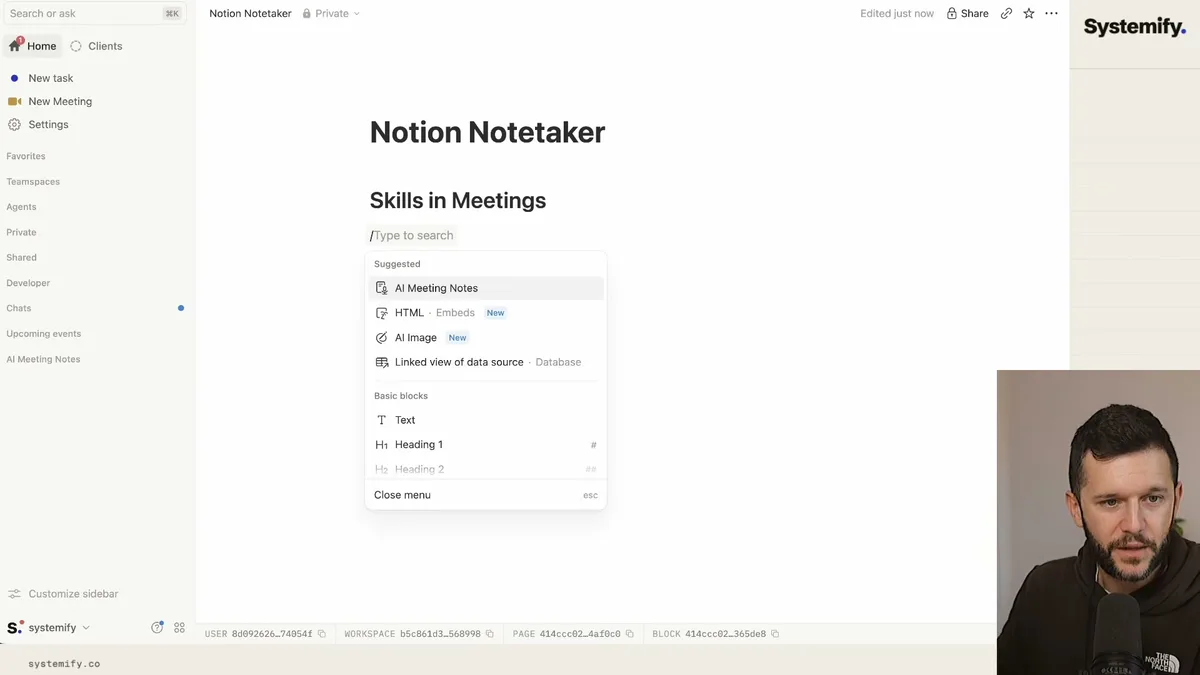
You can also build your own skills and decide whether they show up during the meeting or right after you hit stop.
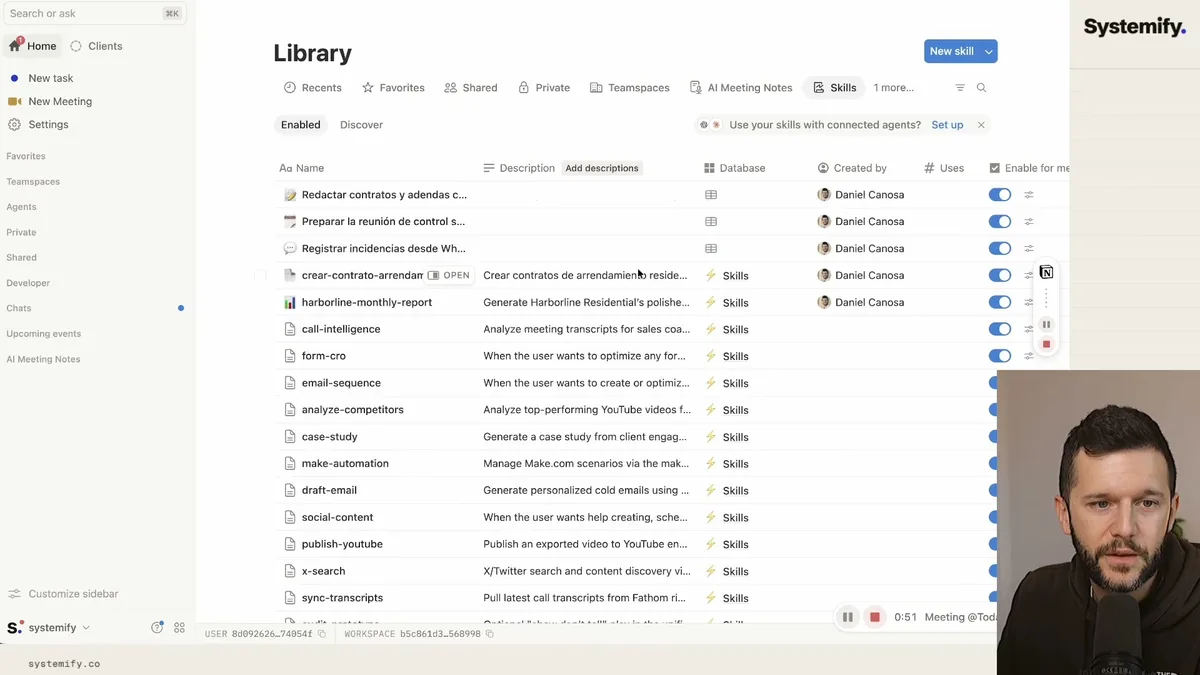
For example, you could have a skill that creates tasks from everything discussed, or one that researches a product someone mentioned on the call, or, in my case with client calls, something that starts scaffolding out a Notion workspace based on what we talked about so I can demo it right there.
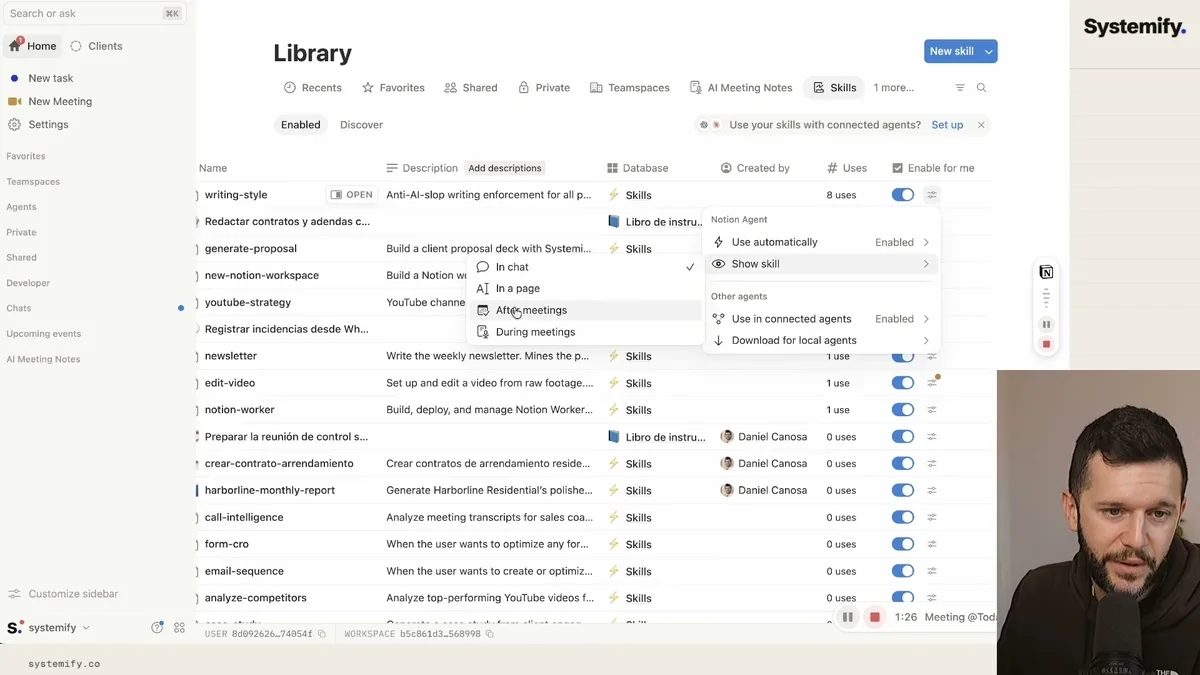
The configuration is straightforward. You go to your skills database, find the skill, and toggle whether it shows during the meeting, after the meeting, or both.
Feature four: Notes on the go.
If you have an iPhone, there's now a widget you can add to your home screen or lock screen.
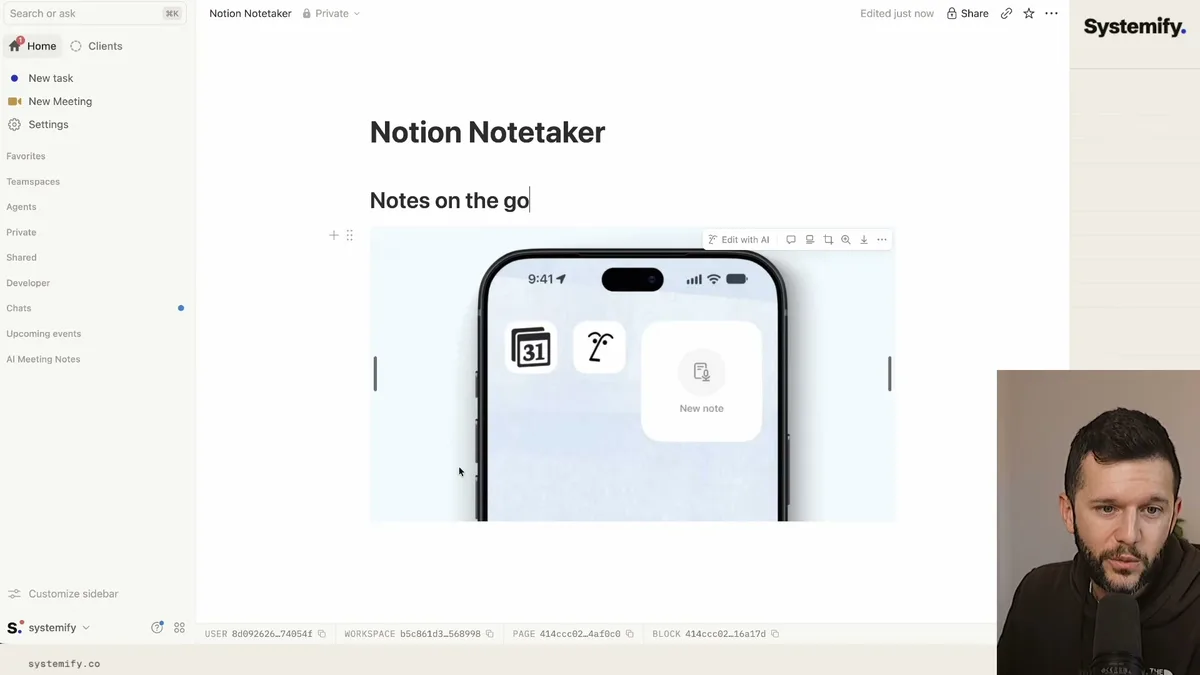
Tap it, and Notion immediately starts recording the audio around you. This is useful for in-person meetings where you don't have your laptop open, or honestly, for capturing your own thoughts when something comes to you while you're walking around.
It runs the same process afterward, so you get a transcript and a summary just like you would from a Zoom call.
Is Notion Business Worth It Just for Notetaker?
In my opinion, no. Not if Notetaker is the only reason you're upgrading.
Notion Business is $20 per month per user. That's not outrageous, but it's real money, and you should know what you're actually getting.
Here's the honest comparison.
Fathom has a free plan that covers the core meeting notes experience really well. It joins your calls, transcribes them, summarizes them, and you can build an automation that pushes everything into Notion when the meeting ends. So you'd have your notes living in Notion anyway, with a transcript, a summary, and action items.
The only things you'd be missing are filing rules, speaker labels inside Notion itself, and in-meeting skills.
Filing rules are convenient but not worth $20/month on their own.
Speaker labels are genuinely better in Notion if you're on Zoom or Google Meet, but Fathom handles speaker identification well too.
In-meeting skills are the only feature with no real equivalent elsewhere, and I'll be straight with you, I've had Notion Business for a while now and I haven't used that feature once in a real meeting. Maybe you will, and maybe that's the thing that tips it for you.
The real reasons to be on Notion Business are the other things it gives you.
Granular permissions for your team is the main one for me. When you're running a team and you need to control who can see what inside a workspace, the free and Plus plans are genuinely limiting. Business solves that.
More complex automations inside Notion, specifically the ability to write and run code inside automation flows, that's also a Business-only feature and it opens up a lot.
If you need those things, Notion Business makes sense. And Notetaker becomes a solid bonus on top of it.
If you don't need those things, start with Fathom's free plan and build an automation to get the notes into Notion. You'll cover 85% of the same ground.
Frequently Asked Questions
Q: Does Notion Notetaker require a bot to join your calls?
No. Notion Notetaker captures audio directly from your computer's system output, so there's no bot joining the call and no notification sent to other participants. This also means it works with any video platform, not just Zoom or Google Meet.
Q: What Notion plan do you need to use Notion Notetaker?
Notion Notetaker, including the new features like filing rules, speaker labels, and in-meeting skills, is part of the Notion Business plan at $20 per user per month. The basic AI Meeting Notes block may be available on lower-tier plans, but the full Notetaker experience requires Business.
Q: How does speaker identification work in Notion Notetaker?
Speaker labels currently work on Zoom and Google Meet only. For Zoom, you install an integration through the Notion desktop app settings. For Google Meet, you install a Chrome extension. Both require the desktop versions of these apps, not the browser-based versions. Once set up, the transcript attributes each line to the correct speaker instead of running everything together.
Q: Is Notion Notetaker better than Fathom?
For most people, Fathom's free plan covers the core meeting notes experience just as well. The main advantages of Notion Notetaker are native integration with your Notion workspace, filing rules that route notes to different databases automatically, and in-meeting skills. If you're already paying for Notion Business for other reasons, Notetaker is a solid addition. If you're not, Fathom plus a Notion automation gets you most of the same result without the extra cost.
Ready to see where your business stands with AI and automation? Take our AI Readiness Scorecard to find out.
Get more like this in your inbox
AI implementation insights for service business founders. No fluff.